21FR-W2003
21 22 23
NOTE: Changes to your Wi-Fi network settings (SSID or Security
Passphrase) will prevent your fan from connecting to the cloud.
You can re-establish connectivity by performing a Wi-Fi Reset and
using the Modern Forms app to recongure the fan to connect to
the network with the new settings.
Factory Reset
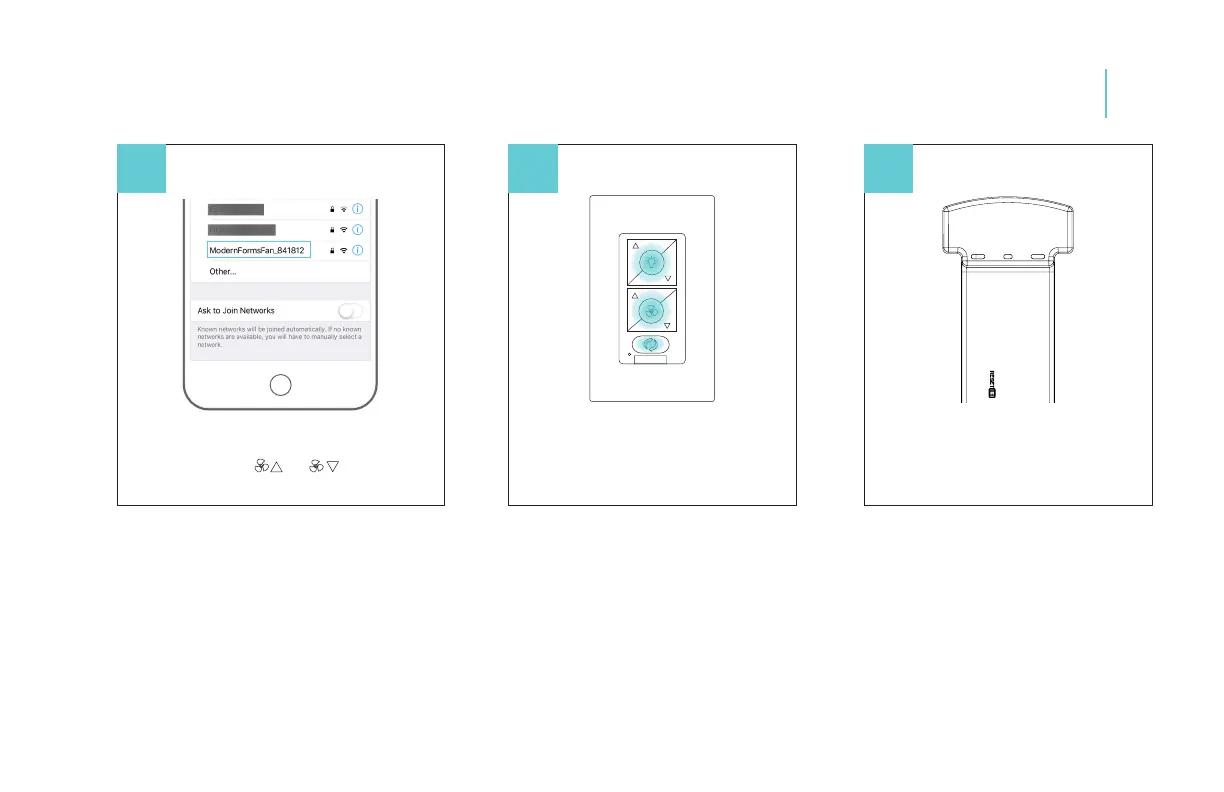
Press and hold buttons for 10 seconds
Receiver Factory Reset
Press the reset button on the receiver
until the receiver beeps
Fan Wi-Fi Reset
Press and hold the and buttons until
the LED blinks green and the receiver beeps
Factory Reset
12
NOTE: Factory reset will remove remote control(s), wall control(s)
and Modern Forms app connections.
NOTE: You may need to factory reset your receiver if you experience
issues with network connectivity.
Once you factory reset your receiver go back into the app and
follow the steps.The factory reset from the wall control only works
if the wall control was successfully paired to the fan.


 To Next Page