11
11
Timer Funcon
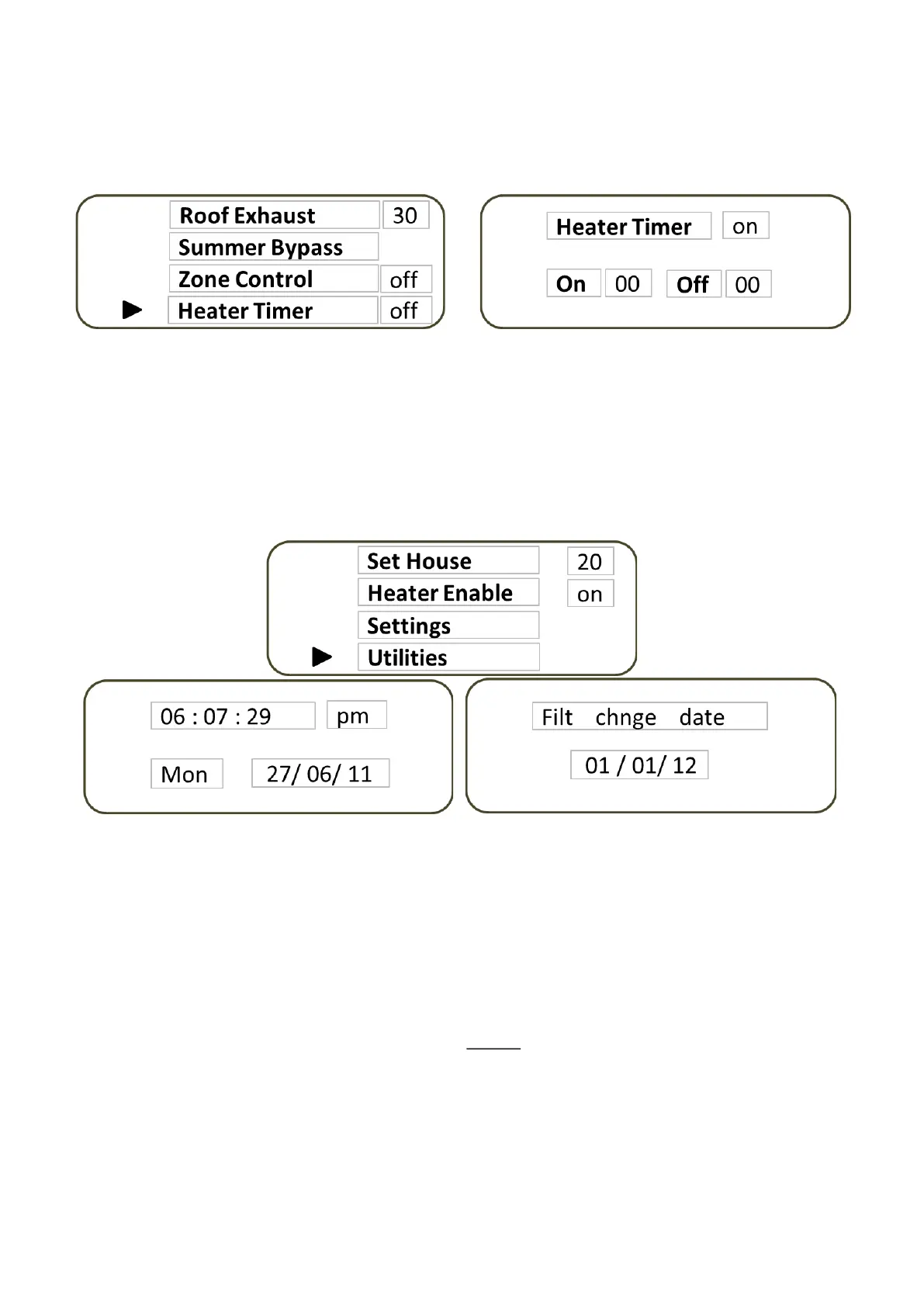
The mer is used solely to control the booster heater operaon of the HX Unit. It is the last selecon in the
Sengs Menu. Place the cursor next to the Heater Timer label and press SELECT. The mer screen will automacal-
ly appear. Select the mer operaon by pressing the + and - buons.
Select On with the + buon
Select O with the - buon
Ulies Menu
There are two items that are sourced via the Ulies Menu. Seng the me and date and viewing the lter change
date.
Select Ulies by placing the cursor nest to the label in the main menu screen. Highlight it by pressing the SELECT
buon. The rst item to appear is the me and date. Pressing the menu buon moves through the various compo-
nents that will need to be set. These are set by pressing the + or - buons. When you have nished seng the
me and date press the SELECT buon which advances the screen to view the lter change date. Exit the Ulies
mode by pressing the SELECT buon one more me.
Filter Change
Filter changing with approved moistureMASTER lters is also necessary to maintain the warranty that the manufac-
turers of moistureMASTER have provided. Failure to replace the lter at the required intervals with the prescribed
moistureMASTER lters will void the warranty. Although reminder leers are rounely sent by Condensaon Con-
trol Ltd it is the owner’s responsibility to ensure this is carried out at least annually and in some cases it is probably
a good idea to replace lters more regularly than this. In order to remind you we have built into the electronics a
calendar which displays the date around which the lter should be changed. When the moistureMASTER HX was
installed the Technician would have set the me and date and acvated the lter calendar. This date will be set into
the lter change display which is selected in the AM or Advanced Menu.
It is important that the lters in the system be changed at least once a year to maintain the unit’s integrity and
ecient operaon. Where a summer venlaon By-pass is ed it may be necessary to replace the lter twice a
year. Bulk packs are available for purchase from the manufacturer at reduced rates.
When the lter date is reached the date will ash connuously across the temperature display on the main screen.
It is me to call for a lter service.
You may purchase the lters directly from Condensaon Control Ltd and change the lter yourself. Instrucons to do this are
included with each lter. Our customer services centre will also provide you with instrucons to clear the lter indicator. Clear-
ing the lter indicator advances the change date to the current date plus 1 year when it will ash across the LCD screen again.
You may also call us and arrange for one of our service technicians to do this for you. This will give us an opportunity to check
the system over to make sure that everything is working as it should.



 To Next Page
 Loading...