7
7
Sengs Menu
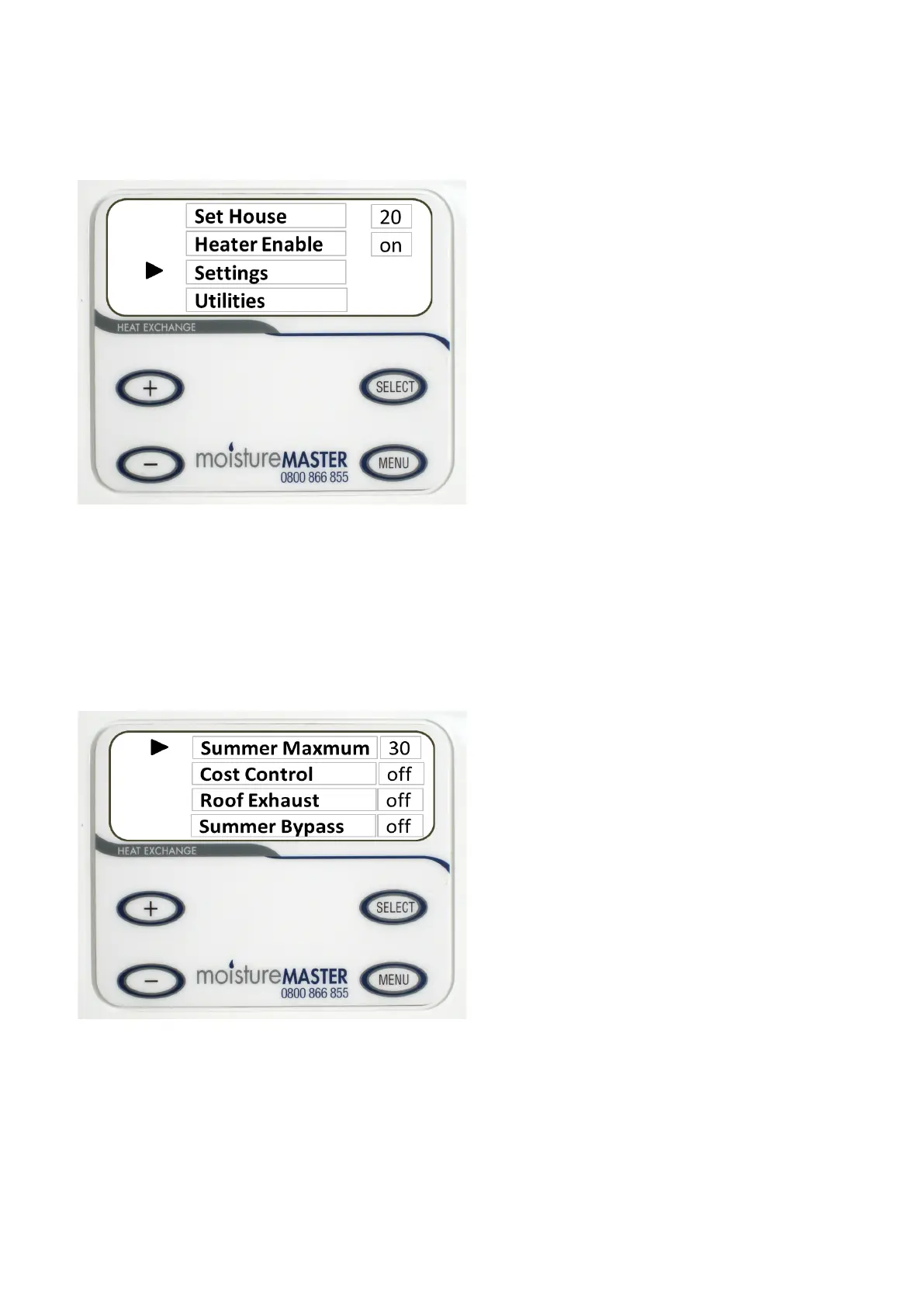
The sengs menu lists most of the useable features of the moistureMASTER HX system. Press the MENU
buon and use the + and - buon to scroll the cursor to “Sengs”.
Press the SELECT buon. A new menu will appear. Again use he + and - buon to choose the
item that you would like to set. Press the SELECT buon to highlight the item and then you are able
to make your selecon. When you have made the selecon press the SEKLECT buon again to dese-
lect the item and then you can move the cursor up or down to another item. Follow this procedure
for all of the items that you want to select and set.
N.B. The Sengs menu will only display the opons that are included in the system.
Summer Maximum (Maximum)
With the cursor next to the Summer Maximum press the SELECT buon and the selecon is highlighted. Us-
ing the + and - buon choose the summer maximum temperature. If you have an oponal summer by-pass
ed this will be the temperature at which the by-pass is acvated in the AUTO mode. If you do not have
this ed the Fresh Air Supply fan will stop working at this temperature. This will prevent the system from
heang your home up on a hot summers day. The HX unit can only be used for cooling in conjuncon with an
air condioning unit. However the summer By-pass will help to prevent dayme cooling and will provide a
lile cooling of the home at aer dark when the night air is cooler. See page 10 for summer by-pass.


 To Next Page
 Loading...