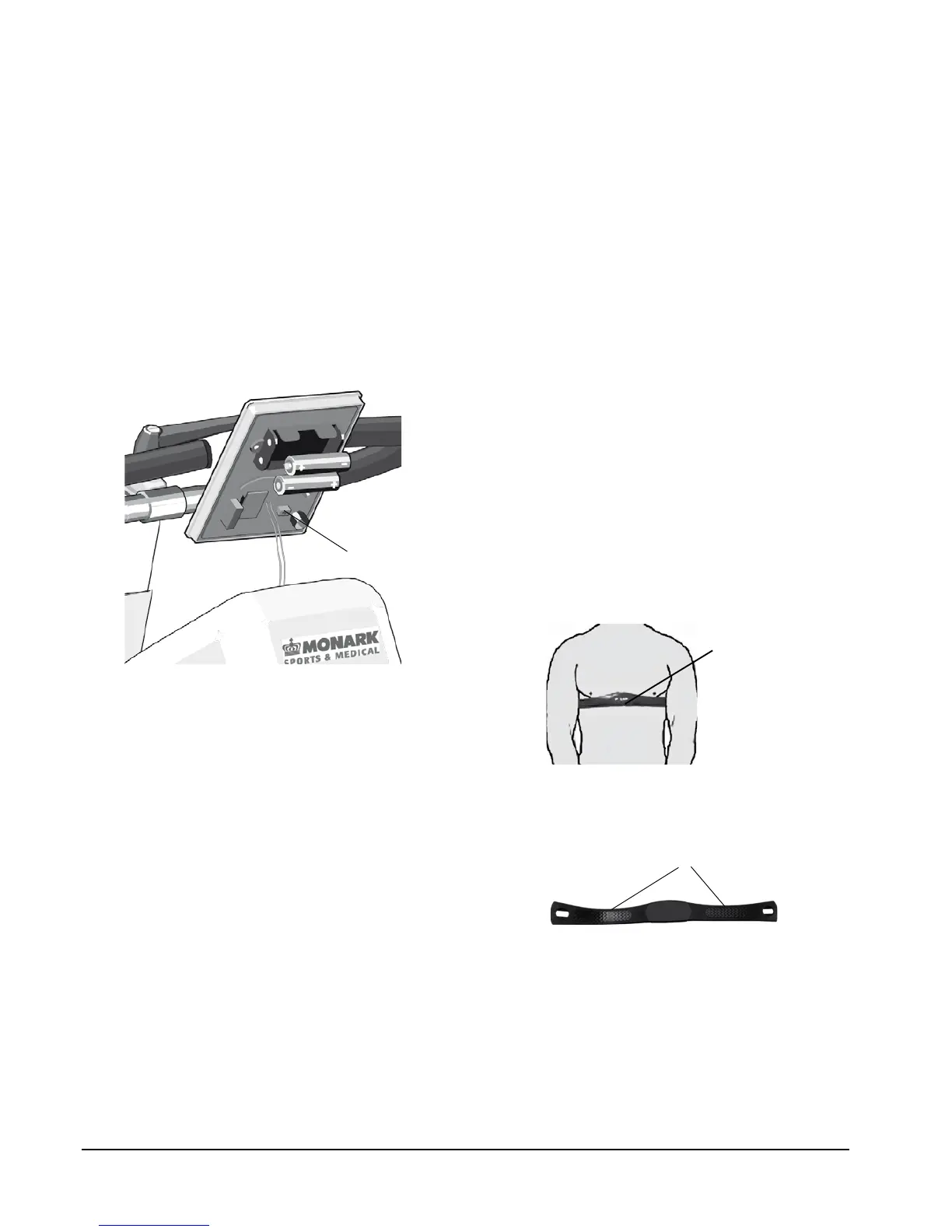
Fig: Switch km/miles (1)
Heart rate
A person's heart rate can be measured with a chest
belt that senses the electronic output of the heart. The
chest belt is standard equipment.
Heart rate monitoring requires that the chest belt is
correctly placed. When it is correctly fitted the logo
on the belt will be central and readable, outward
and upright, by another person. Before putting on
the belt, clean the skin where the belt is to be placed.
The chest belt should be secured at a comfortable
tension around the mid section, just below the breast
muscle, see Fig: Placement of the chest belt. Moisten
the electrodes before use, see Fig: Electrodes on the
back of the chest belt. To make contact with the HR
receiver on the bike, the distance should not be more
than 100 cm. It is especially important when first used
to identify the chest belt with the sensor, by standing
close to get the HR (maximum 60 cm).
NOTE!
Electromagnetic waves can interfere with the telemetry
system. Cellular phones are not allowed to be used
near the bike during test.
Fig: Placement of the chest belt
Fig: Electrodes on the back of the chest belt (1)
Calories
There have been different theories on how to calculate
this, since it depends on several factors and this means
that it can only be seen as an estimate.
As a standard calculation when we display calories
on our calibrated bikes we use: 1 minute with 100W
gives 7 kcal. It is easy to convert watts to calories if it
was on the flywheel, the formula is 1W=0,2388x10
-3
kcal/s with four decimals. But when you normally
show calories you want to show the total amount of
calories your body has used during your training, not
only the calories "burnt" on the flywheel.
We have chosen the formula given above that we
think complies with the results given for a standard
cycle position.
Km/Miles
Km and km/h is the default setting from the factory.
If you want to make a setting in miles take the meter
out of the panel. Turn off the meter by taking out
one battery. On the back side is a switch(1) with two
settings – 1 and ON. See Fig: Switch km/miles. 1 is
equal to km and km/h and is the default setting. ON
is equal to mile and mph. Choose position and install
the battery again. Put the meter back again into the
panel.
Do not expose the electronic meter to direct sunlight
or extremely high temperature. Do not use any
dissolvents when cleaning. Use only dry cloth.


 To Next Page