03. Getting Started
Installation Instructions
Choose even surfaces to install the detector. Avoid
exposing it to bright light, direct sunlight, open re,
water, or dust.
Operating Instructions
• Do not use the detector if it is affected by
vibration or bright light, or is exposed to direct
sunlight
• Use only the adapter supplied with the detector
• If the detector was stored at low temperature for
a long time, keep it at room temperature for at
least 6 hours before use
• Turn the detector off if it is not used for a long
time
• Do not open the detector’s cover
• Protect the detector against moisture
• Protect the detector from drops, shocks, bumps
and shakes – all the above may lead to defects
and breakdowns
Turning the Detector On
Use the adapter supplied with the detector
to plug the device to power supply (100-
240V/50-60 Hz). Turn the detector on by
pressing and holding the CLR/ button
for 3 seconds. After self- diagnostics is
complete, the detector is ready to use.
04. Operation
Banknote Verication
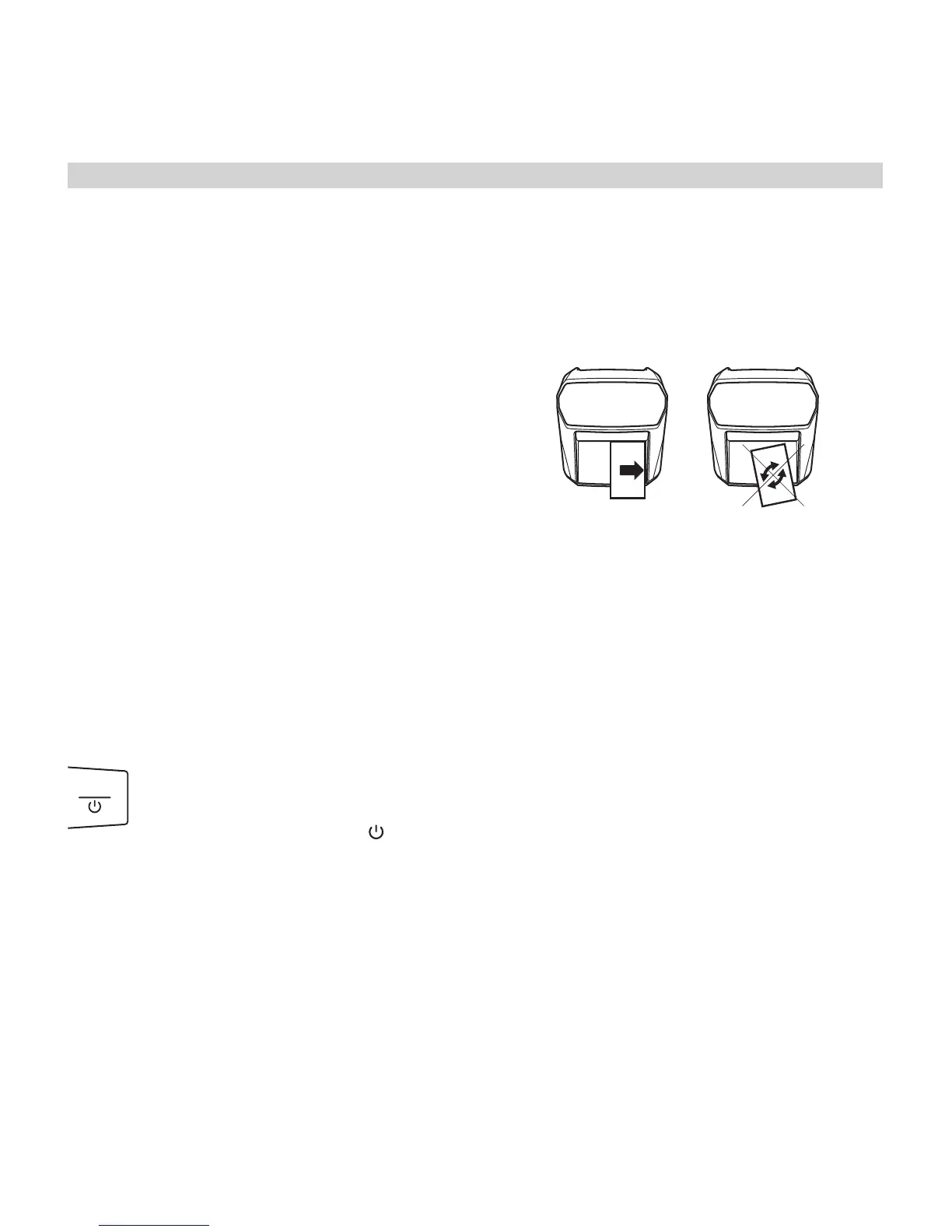
To verify a banknote place it into the loading tray
and press it rmly to the right side of the tray.
! If a banknote is placed into the loading tray
incorrectly, it will not be identied as genuine,
and an error code will be displayed.
Loading and feeding banknotes
• The banknote has to be at and straight, without
folds or creases
• Do not place banknotes at an angle
• Secure the banknote’s correct orientation while
loading and feeding (see the appendix)
After the banknotes are loaded, the detector will
check them automatically. If a banknote is genuine,
the display will show its currency type and value. If a
banknote is suspicious or unidentied, it will be re-
turned back to the loading tray, with an audio signal
and an error code displayed on the screen.
! If the detector identies a banknote as suspi-
cious, try to verify it again: it is possible that it
has been loaded incorrectly.
4
EN
DE
RU
Automatic currency detector Moniron Dec Multi ● User’s Manual


 To Next Page