Summing-up Mode
For switching to the summing-up mode press the
ADD/DIR button. After pressing the button, the
“ADD” indicator is displayed on the screen. While
the detector consequently veries several banknotes
of the same value, the display shows the number of
banknotes processed and their total value. Repeat
pressing of the ADD/DIR button turns the sum-
ming-up mode off and the “ONE” indicator is dis-
played on the screen. This means that the detector is
now in the single banknote verication mode.
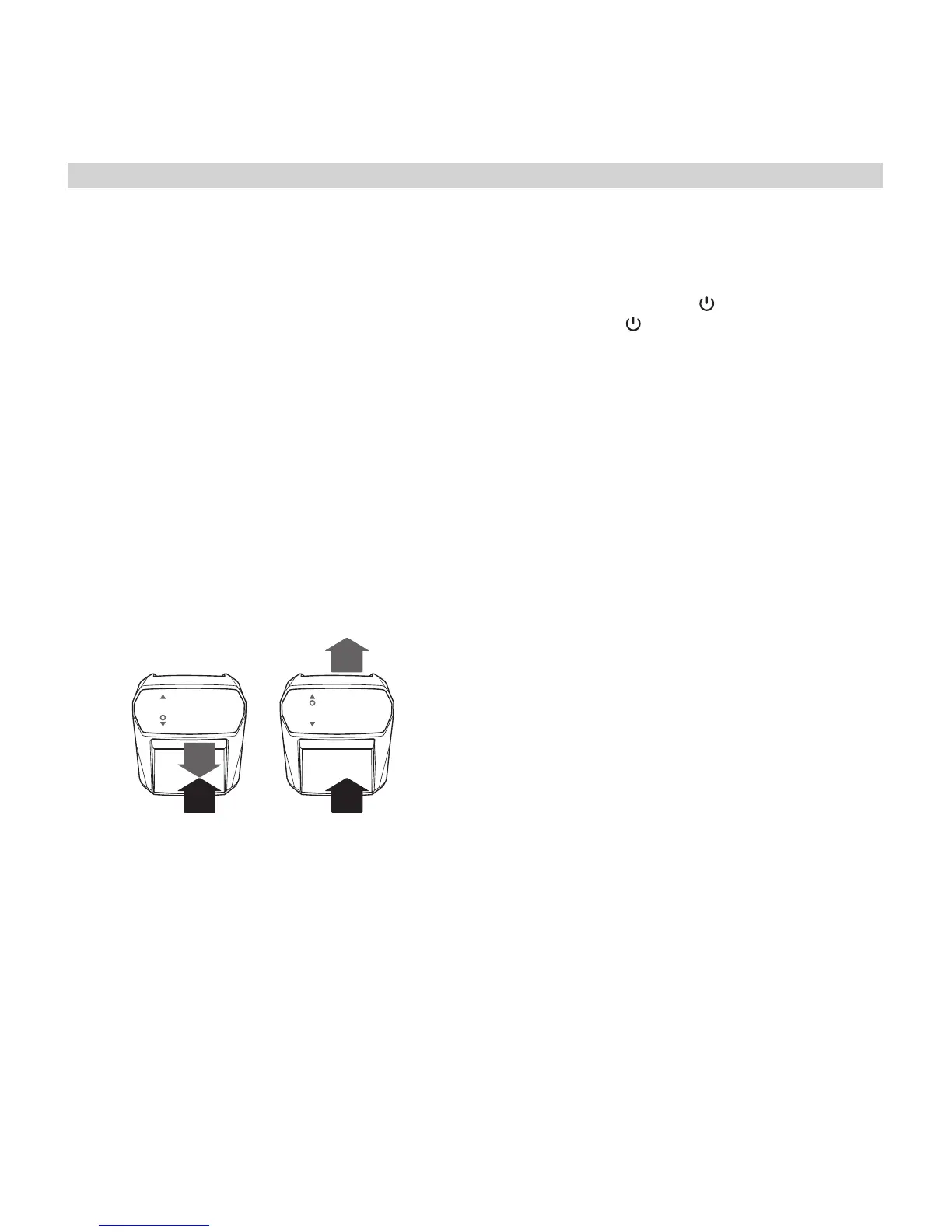
Banknote Ejection Modes
You can select either of two for banknote ejection
modes. Forward mode ▲: the veried banknote is
returned at the rear side of the device. Backward
mode ▼: the veried banknote is returned back to
the loading tray. To switch between the modes press
and hold the ADD/DIR button.
! We recommend using the Forward mode for
a bundle of banknotes. The Backward mode is
convenient in case of limited space (e.g. when the
detector is placed against the wall) or to verify a
single banknote.
Resetting the Display and Turning
the Detector Off
At any moment you can reset the data displayed on
the screen by pressing CLR/ . To turn the detector
off press the CLR/ button and hold it for
3 seconds.
05. Connection to PC
Connecting Moniron Dec Multi automatic detector
to a PC is possible via USB port which is located at
the back panel of the detector. When the detector is
connected to a PC or a laptop with special software,
banknote processing data is displayed on the screen,
and the statistics of the verication process are
available for download (option).
06. Updating Software
Moniron Dec Multi’s efciency depends on prompt
software updates. Alongside with emission of new
banknote types and modications, new software for
the detector is developed. You can install it at the
Service Center. Full contact information is available
at our ofcial web site: www.moniron.com
www.moniron.com
5
EN
DE
RU


 To Next Page
 Loading...