Trouble
Shooting
Fault
Mode
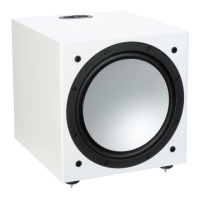
The Silver W-12 can
display
3
individual faults
codes. Each fault mode makes the
LED
in
the
EQ
Button
alternate between
yellow
and another
colour;
red, green or
blue.
Mode 1 - Power supply unit issue
Yellow/Red flashing
Mode 2 - Power
amplifier
issue
Yellow/Green flashing
If
these
faults
occur, try carrying out a power
cycle
first,
leaving
the mains power removed
for at
least
5 minutes.
If
that doesn't solve
the error try a factory reset.
If
it
still
does not output a
signal or the
fault mode
is
still
present,
please
contact your
local
dealer/
distributor or Monitor Audio
immediately.
Factory
Reset
If any
problems
or glitches
occur, the first port
of
call will
be a factory reset. This
is
actuated via a
long
press
of
button 1 and button 2 simultaneously.
This
will
reset -
•
The current saved
EO
(Resets
to
profile
1)
•
Any saved microphone calibration
data
•
Any saved APC filter profiles
Firmware
Version
A short press of both buttons causes the system
to
report its current firmware version by
blinking
the LED's within the buttons.
The LED within the
EO
Button denotes a 1 and the LED within the
Calibration
button
denotes a
0.
Add up the pattern and pauses
to
determine the firmware version, for
example:
Firmware version 2.1.1
would
be 2 x
EQ
LED
- Pause - 1 x
EQ
LED
- Pause - 1 x
EQ
LED
Firmware version 3.0.0 would
be 3
x
EQ
LED
- Pause - 1 x
Calibration LED - Pause -
1
x
Calibration
LED.
12



 To Next Page