
 Need help?
Do you have a question about the Monitronics VISTA-20PMT and is the answer not in the manual?
Overview of the security system's features and capabilities.
Covers burglary protection modes, fire protection, and security codes for system operation.
Explains system sensing devices assigned to specific areas (zones) and partitions.
Details procedures for arming, step-arming, and disarming the burglary system.
Describes alarm events, message display, and remote phone access capabilities.
Details programmable keys and the system's paging features.
Explains system scheduling and using the voice message center.
Overview of keypad features like display, sounder, and backlighting.
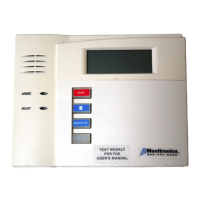
Describes different keypad models and their capabilities.
Explains the various messages and indicators displayed on Fixed-Word keypads.
Illustrates keypad layout and provides critical notes on key entry.
Explains the primary and secondary purposes of keypad keys 1 through 10.
Continues explanation of keypad keys 11-20 and indicators.
Time allowed to disarm the system after entering through a designated door.
Time allowed to leave the premises after arming the system.
Explains conditions triggering "exit alarm" and how to clear them.
Details how to view faulted zones before arming the system.
Explains voice keypad announcements of system status and faults.
Describes different arming modes and their operational parameters.
Provides key sequences for arming and explains quick arming without a code.
Details arming with single keys and multi-press "step" arming for increased security.
Describes how to use a physical keyswitch to arm and disarm the system.
Explains how to disarm, silence alarms, and clear memories using the OFF key.
Details procedures for clearing burglary and fire alarm memories from the keypad.
Describes how to temporarily disable specific zones from triggering an alarm.
Explains how certain zones are automatically bypassed if left open.
Explains how to easily bypass all open zones automatically without manual entry.
Details activating chime mode and the voice announcement feature.
Describes how to display and set the system's current date and time.
Explains panic key usage and how they are assigned for emergencies.
Introduces programmable keys for automating command sequences.
Provides an example of programming and using macro sequences.
Explains how to control external devices via keypad commands.
Describes how the system automatically sends messages to pagers for events.
Explains manual paging and schedule-based latch key paging.
Explains master/user codes and defines user authority levels.
Details commands for adding user codes, levels, groups, and other attributes.
Explains how to perform functions in other partitions using commands like GOTO.
Describes switching partitions and arming multiple partitions simultaneously.
Explains how a common zone functions with multiple partitions.
Introduces end-user schedules for controlling system events at specified times.
Guides on creating new schedules by selecting events, times, and days.
Explains how the system records events and how to access the log.
Explains the meaning of event codes and their restoration status.
Explains the importance and procedure for weekly system testing.
Explains the meaning of "CHECK" and "BATTERY" messages and how to resolve them.
Details various trouble messages like COMM. FAILURE, SYSTEM LO BAT, etc.
Covers AC LOSS, Busy-Standby, Total Power Failure, and Telephone Problems.
Covers system testing, silencing battery warnings, and replacing wireless sensor batteries.
Offers advice on general care, cleaning, and handling of system components.
Explains continuous protection and audible alerts of the fire alarm system.
Details procedures for silencing fire alarms and resetting smoke detectors.
Explains how to manually trigger a fire alarm in case of an emergency.
Details panic key configurations for initiating fire emergencies.
Presents NFPA guidelines for smoke detector placement.
Provides NFPA recommendations for establishing fire escape plans.
States compliance with FCC rules regarding radio frequency emissions.
Details FCC requirements for connecting to the telephone network.
Outlines compliance with Canadian telecommunications network requirements.
Lists system features and provides templates for function key assignments.
Provides a chart to track system users, their codes, levels, and settings.
Continues user setup tracking and details pager configuration.
Lists schedule numbers and output devices for system configuration.
Provides sections for insured's details, alarm notifications, and central station contact.
Lists common locations for installing detection devices for insurance purposes.
A free-text field for additional information for the insurance company.
Details general limitations of alarm systems, including power, signals, and bypass.
Explains limitations of smoke detectors, motion detectors, and audible alarms.
 General
| Power Supply | 16.5VAC, 25VA Transformer |
|---|---|
| Dimensions | 10.5" H x 14.5" W x 3.0" D |
| Partitions | 2 |
| User Codes | 48 |
| Wireless Zones | Supports wireless zones with compatible receiver |
| Communication | Supports telephone line communication, optional cellular or internet communication modules |
| System Type | Hybrid (Wired & Wireless) |
| Zones | 6 hardwired zones, expandable up to 48 zones with expansion modules |

 To Next Page