EasyManua.ls Logo

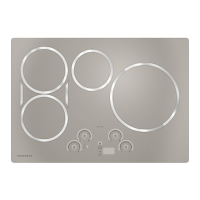
Monogram ZHU36RSPSS - User Manual

Monogram ZHU36RSPSS
28 pages
Print Icon
To Next Page IconTo Next Page
Loading...
OWNER'S
MANUAL
30" and 36"
Electronic Induction Cooktop
MONOGRAM.COM
Pour obtenir une version française de ce manuel d’instructions,
visitez notre site monogram.com.
Para consultar una version en español de este manual de instrucciones,
visite nuestro sitio de internet monogram.com.

Questions and Answers

  • A
    Alexis BeltranSep 9, 2025
    How to resolve performance or minor technical issues on Monogram ZHU36RSPSS?
    • J
      Jasmine BrownSep 9, 2025
      To resolve performance or minor technical issues on your Monogram Cooktop, including seeing 20F or 100F as the set temperature, connect your unit to the SmartHQ app and update the unit software. Also, connect your unit and pan to the Hestan Smart Cooking app and update the pan software.
  • S
    staylorSep 7, 2025
    Why won't my pan pair or activate on my Monogram Cooktop?
    • A
      Anne VasquezSep 8, 2025
      To fix a pan that won't pair or activate when tapping the handle on your Monogram Cooktop: * Double tap the pan with firm taps (or knock) on the black plastic endcap. * Replace the AAA battery, installing with the positive end out of the handle. * Check that your pan has a black endcap that unscrews from the end of the handle. Pans with an oval module reading "Hestan Cue®" will not work with Café appliances.
  • E
    Erik MunozAug 22, 2025
    How to fix Monogram Cooktop surface elements not maintaining a rolling boil?
    • H
      henrybarreraAug 22, 2025
      If the surface elements on your Monogram cooktop will not maintain a rolling boil, make sure you are using pans that are recommended for induction, have flat bottoms, and match the size of the surface element.
  • R
    Regina FloresSep 5, 2025
    Why is the probe actual temperature not stable on Monogram Cooktop?
    • P
      Patricia PowellSep 5, 2025
      If the probe actual temperature is not stable while the charger is inserted in your Monogram Cooktop, the electrical noise is impacting the signal. The probe should be charged before cooking, and not left plugged in while cooking.
  • T
    Travis MccannSep 4, 2025
    What to do if plastic melted to the surface of my Monogram ZHU36RSPSS?
    • T
      Tracy DanielsSep 4, 2025
      If plastic has melted onto the surface of your Monogram Cooktop, refer to the Glass surface – potential for permanent damage section in the Cleaning the glass cooktop section.
  • S
    Scott HuffSep 2, 2025
    Why is pan detection/sizing not working properly on my Monogram Cooktop?
    • M
      Michael HillSep 2, 2025
      To resolve pan detection or sizing issues on your Monogram cooktop: * Use a pan capable of induction that meets the minimum size for the element being used. * Ensure the pan is centered on the corresponding surface element. * Check that the control is set properly.
  • K
    Kevin RileySep 1, 2025
    Why is my Monogram ZHU36RSPSS making noise?
    • K
      Kelly WhiteSep 1, 2025
      Buzzing, whistling, and humming sounds are normal for the Monogram Cooktop. See the Cooking Noise section for more information.
  • J
    Jessica RiveraAug 31, 2025
    Why are there areas of discoloration on my Monogram Cooktop?
    • S
      Shannon FrancisAug 31, 2025
      If you see areas of discoloration on your Monogram cooktop: * For food spillovers, see the Cleaning the glass cooktop section. * If it's a light-colored glass cooktop, discoloration when hot is normal and temporary.
  • M
    Michael DavisAug 30, 2025
    How to prevent scratches on my Monogram ZHU36RSPSS Cooktop glass surface?
    • T
      Troy Price MDAug 30, 2025
      To avoid scratches on your Monogram cooktop glass surface: * Use recommended cleaning procedures. * Ensure cookware bottoms are clean before use. * Use cookware with smooth bottoms.
  • Z
    zachary31Aug 28, 2025
    Why is the power arc ON indicator blinking on my Monogram Cooktop?
    • C
      Cheryl LambertAug 28, 2025
      A blinking “ON” indicator can mean: * The pan type is not correct. Use a magnet to check if your cookware is induction compatible. * The pan is too small. The pan size is below the minimum size for the element. * The pan is not positioned correctly. Center the pan in the cooking ring. * The +,-, or control lock pads have been touched before an element is turned on.

Summary

Model Identification

Model Numbers

Lists the available model numbers for the cooktop.

Record Model and Serial Numbers

Instructions to record model and serial numbers for future reference.

Consumer Support and Service

Monogram Website and Online Support

Information on using the Monogram website for assistance and shopping.

Appliance Registration Process

Guidance on registering the appliance online or via mail for enhanced communication.

Schedule Professional Service

Contact information for scheduling professional repair service.

Extended Warranty Options

Information on purchasing extended warranties for additional coverage.

Remote Connectivity Support

Support for wireless network connectivity for models with remote features.

Order Parts and Accessories

Information on ordering replacement parts and accessories for the appliance.

General Contact and Feedback

How to contact Monogram if unsatisfied with service or for general inquiries.

Safety Precautions

General Safety Instructions

Essential safety guidelines for using the cooktop properly and safely.

Flammable Materials Warning

Warnings about storing flammable items near the cooktop to prevent fire hazards.

Cooktop Operational Safety

Specific safety precautions related to operating the cooktop and handling fires.

Induction and Radio Frequency Safety

Induction Cooktop Safety

Specific safety guidelines for induction cooktops, including handling the glass surface.

Radio Frequency Interference

Information regarding FCC compliance and potential interference with radio/TV signals.

Remove Shipping Film and Tape

Instructions on safely removing protective film and adhesive tape from the appliance.

Cooktop Features Overview

Cooktop Features Identification

Identifies and describes the main features of the cooktop and its controls.

Operating the Cooktop

Operating Cooking Elements

Detailed steps on how to turn burners on and adjust power levels.

Turning Burner(s) Off

Instructions on how to switch off individual cooking elements.

Cooktop Settings and Features

Selecting Cooktop Settings

Guidance on choosing appropriate power levels and settings for different cooking tasks.

Synchronize Left Elements

How to use the Sync Burners feature to combine two left elements.

Cooktop Advanced Functions

Power Sharing Explained

How power is distributed between elements in the same cooking zone.

Cooktop Lockout Feature

How to enable and disable the control lock to prevent accidental changes.

Single Kitchen Timer

Instructions for setting and using the integrated kitchen timer.

Connectivity and Communication Setup

Cooktop Communication Module Setup

Guidance on setting up the communication module, if applicable to the model.

Wi-Fi Commissioning Process

Steps to connect the cooktop to a Wi-Fi network using the SmartHQ app.

Bluetooth and Precision Cooking

Bluetooth Pairing Procedure

Instructions for pairing Bluetooth devices like Hestan Cue® cookware or probes.

Precision Cooking Mode Initiation

How to start a cooking session using the Precision Cooking feature.

Precision Cooking Operation

Activating Precision Cooking Devices

How to identify and activate connected devices for precision cooking.

Precision Cooking Control Modes

Explains the two modes: App Control and Local Control for precision cooking.

Precision Cooking User Interface

Precision Cooking Display Priority

How to toggle between displaying temperature and the kitchen timer.

Precision Cooking with Sync Burners

Using Precision Cooking mode with synchronized left burners.

Cooktop Indicators and Detection

Hot Light Indicator Function

Explanation of the indicator light that shows when a surface is hot.

Pan Detection Behavior

How the cooktop detects and reacts when a pan is removed or not present.

Customizing Cooktop Settings

Custom Settings Configuration

Guide to accessing and customizing various cooktop settings.

Understanding Induction Technology

How Induction Cooking Works

Explains the principle of magnetic induction for heating cookware.

Cookware Noise Explanations

Discusses normal operational sounds and potential causes of unusual noises.

Cookware Selection Guide

Choosing Correct Cookware Size

Guidelines on selecting the right pan size for optimal performance and safety.

Suitable Cookware Materials

Recommended materials for cookware to ensure compatibility with induction.

Cookware Compatibility Details

Correct Cookware Placement and Types

Illustrates correct vs. incorrect placement and pan bottom types.

Precision Device Temperature Ranges

Specific temperature ranges for Hestan Cue® cookware and Precision Probes.

Griddle Accessory Usage

Griddle Safety Precautions

Important safety warnings related to using the griddle accessory.

Griddle Operation Guide

Instructions on using the griddle, including settings and placement.

Glass Cooktop Care

Cleaning the Glass Cooktop

Step-by-step instructions for cleaning the glass cooktop surface.

Cooktop Surface Maintenance

Removing Metal Marks and Scratches

Methods for removing metal marks and addressing discoloration on the cooktop.

Handling Sugary Spills and Melted Plastic

How to handle sugary spills and melted plastic to prevent surface damage.

Available Accessories

Lists optional accessories offered to enhance cooking and maintenance.

Troubleshooting Common Issues

Surface Element Performance Problems

Solutions for problems like slow heating or elements not working properly.

Surface Appearance Issues

How to fix or manage scratches and discoloration on the cooktop.

Keypad and Pan Detection Errors

Solutions for unresponsive keypads and issues with pan detection.

Troubleshooting Precision Cooking

Precision Cooking Feature Issues

Solutions for issues related to precision cooking features and probes.

Limited Warranty Information

Monogram Warranty Service Details

Details on how to obtain warranty service and what is covered.

Warranty Coverage Exclusions

Exclusions from the warranty coverage, such as misuse or improper installation.

Implied Warranties and Legal Rights

Information on implied warranties and legal rights regarding the product.

Monogram ZHU36RSPSS Specifications

General IconGeneral
Stylesmoothtop; drop-in
Colorsilver
Griddleyes
Power Levels19
Inductionyes
Number of Burners5
Downdraft Ventno
Control Typetouch sensor; electronic touch slider
Remote Controlyes
Wi-Fiyes
Electrical Requirements208-240v/60hz/50a
Fuelelectric
Voltage240/208 volts
Current50
Weight and Dimensions IconWeight and Dimensions
Depth20 7/8 inch
Height4 5/8 inch
Width36 inch
Cutout Depth19 1/8 inch
Cutout Width33 7/8 inch