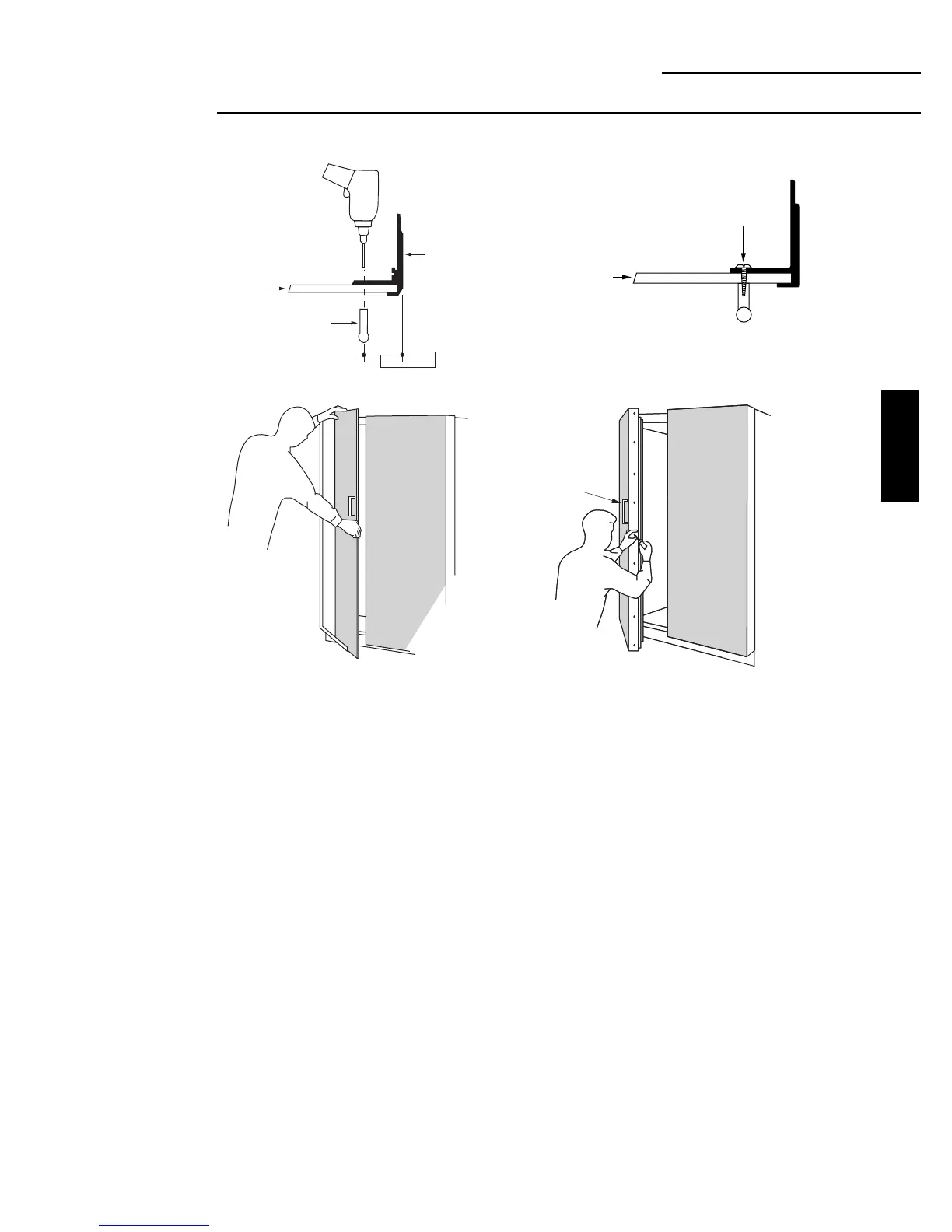
Step 3
Assemble panel,
extrusion and
handle
Extrusion
3/4" Min.
1-1/2" Max.
Handle
Decorator
Door Panel
ZKH1 Trim Kit (For 1/4" Panels)
Support for Custom Handles
Option 1 Installation
• Remove the door extrusions and door panels.
• Drill 1/16" pilot hole through extrusion.
• Drill clearance holes through the panel and extrusion.
• Assemble the door panel, extrusion and custom
handle.
• Install screw(s) long enough to pass through the
extrusion, door panel and into the handle.
• Slide the assembly into the door frame until the new
extrusion fits firmly against the steel door.
• Re-install original screws into the door extrusion.
23
Door Handle
Screw
Decorator
Door
Panel
ZKH1
INSTALLATION








 To Next Page