- 36 -
Réglage langue :
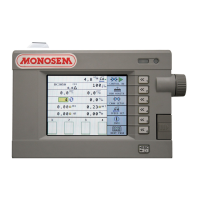
A : Appuyer sur la touche (Fig.1) : Réglage langue.
Vous pouvez modifier les paramètres suivants :
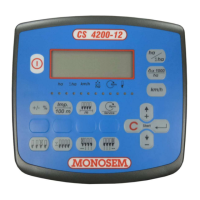
B : Choix de la langue (Fig.2).
Pour modifier ce paramètre servez vous de la molette de
navigation : placer le curseur sur la langue déjà établit, faites
défiler jusqu’à la langue désirée et valider :
Fr : Français
En : Anglais
…
Adjusting the language
A: Press the key
(Fig.1) : Adjust the language
You can modify the following parameters:
B: Selection of the language (Fig.2).
To modify this parameter, use the navigation thumbwheel:
place the cursor on the current language and then scroll up to
the language you want and confirm.
Fr : French
En : English
…
Mode programmation/Programming mode
Programmiermodus/Programmeermodus
Modo de programación/Modalità di programmazione
Fig. 1
Fig. 2


 To Next Page
 Loading...