- 95 -
VIII. QUICK START
Key parameters :
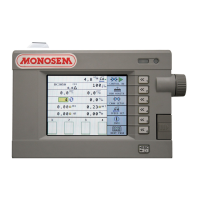
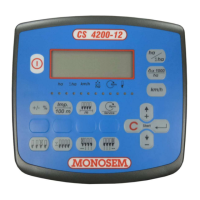
Parameters of the seeder: press the key corresponding to the icon to modify the threshold of the alarm.
Additional parameters of the seeder: refer to the icon
to modify the row spacing.
Regulation parameters: press the key corresponding to the symbol
to modify the name and number of holes of
the disc, the objective dose, the admissible max. and min. doses, the + and - doses and the high and low thresholds.
Radar configuration: press the key corresponding to the icon
.
Options :
Marking configuration: press the key corresponding to the icon .
Perform or display a Marking program: press the key corresponding to the symbol .
Before sowing
:
Radar calibration: press the key corresponding to the icon
.
To fill the discs with grains, refer to the key corresponding to the symbol
.
When sowing
:
To start the Master switch press the key corresponding to
.
To stop the hydraulic regulation pressa gain the key
.
To increase the population give pulses on the the key corresponding to the symbol
.
To decrease the population use the icon
.
Options
:
To activate the automatic marking press the key corresponding to the symbol
.
To deactivate the automatic marking press again the key
.
To increment with a pass the marking use the icon
.
To choose which side of the seeder you want to start cutting off rows:
.
To choose a row inside the seeder use the key corresponding to the symbol .
To cut off the selected row use the key corresponding to the icon .
To start up again all the rows use the key corresponding to the icon
.


 To Next Page
 Loading...