EasyManua.ls Logo

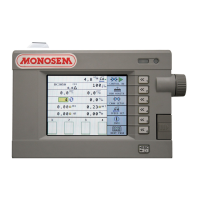
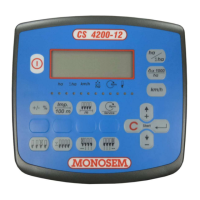
Monosem CS 4200-12 - User Manual

Monosem CS 4200-12
60 pages
Print Icon
To Next Page IconTo Next Page
Loading...
CS
4200-12
2014
-
Réf.
10640169
NOTICE CONSOLE CS 4200-12
SEED MONITOR CS 4200-12 MANUAL
MONITOR DE ÎNSĂMÂNŢARE CS 4200-12
COMPAGNIE RIBOULEAU

Questions and Answers

  • E
    Eric BaileyAug 7, 2025
    Why Monosem Control Panel console doesn’t light up?
    • J
      jamesjasonAug 7, 2025
      The console might not light up due to several reasons. It could be caused by inverted polarities, so check the polarities. Another cause may be a power outage, in which case you should check the cable, the battery connection, and the fuse.
  • H
    haleyconwayAug 12, 2025
    What to do if the quantity of grains is not displayed on my Monosem Control Panel?
    • A
      Anna SantosAug 12, 2025
      If the quantity of grains isn't displayed, it could be because the seeder is empty, so fill the seeder with grain. Alternatively, the cells might be clogged up; clean them with a brush.
  • D
    Daniel RoseAug 17, 2025
    How to fix speed not displayed on Monosem Control Panel?
    • K
      Kelly ScottAug 17, 2025
      If the speed is not displayed on your Monosem Control Panel, it might be due to a speed constant not programmed. Also, check the sensor’s distance from the magnet, ensuring it is around 5mm.
  • C
    Christine SanchezAug 22, 2025
    Why does the nr of grains/ha display oscillate significantly on my Monosem Control Panel?
    • J
      Jennifer ShawAug 22, 2025
      If the number of grains per hectare display oscillates significantly, it may be because the cell is feeding the console irregular pulses. Try cleaning the cells using a brush. Also, check that the feed units are functioning correctly.
  • K
    Kristin WaltonAug 27, 2025
    What causes the element to not engage on Monosem rows fitted with disengageable heads?
    • R
      Richard CortezAug 27, 2025
      If the element does not engage on rows fitted with disengageable heads, it could be that the return spring is broken, so change the return spring. Another possibility is that the feed mechanism is becoming jammed as it rotates; check the chain, the gears, the disks, etc.
  • E
    Elizabeth LinSep 1, 2025
    What to do if the element does not engage on rows fitted with disengageable heads on Monosem?
    • C
      Christopher BaileySep 1, 2025
      If the element does not engage, the electromagnet's core might not be correctly positioned in relation to the disengageable head. Check, and if necessary adjust, the position of the electromagnet. Also, the electrical connection could be faulty, so check the electrical connection. Finally, the electromagnet could be faulty, so check, and if necessary change, the electromagnet.

Summary

Console CS 4200-12 Installation and Operation

Introduction to the CS 4200-12 Sowing Controller

Overview of the Monosem CS 4200-12 sowing controller, its purpose, compatibility, and basic functions.

Mounting and Connecting the CS 4200-12 System

Console Mounting and Power Connection

Procedures for installing the console in the tractor cab and connecting its power supply.

Using the CS 4200-12 Console Features

Console Programming and Configuration

Details how to program alarm thresholds, speed sensor constants, working width, and row count.

Operating Row Cutting Functions

Instructions for operating row cutting functions via the console.

Maintenance and Troubleshooting Guide

Diagnosing and Resolving Common Issues

Provides a guide to diagnosing and resolving common problems with the sowing controller.

CS 4200-12 Quick Start Guide

Quick Start: Programming Mode Setup

A condensed guide for initial programming of alarm thresholds, constants, and settings.

Monosem CS 4200-12 Specifications

General IconGeneral
BrandMonosem
ModelCS 4200-12
CategoryFarm Equipment
LanguageEnglish

Related product manuals