11
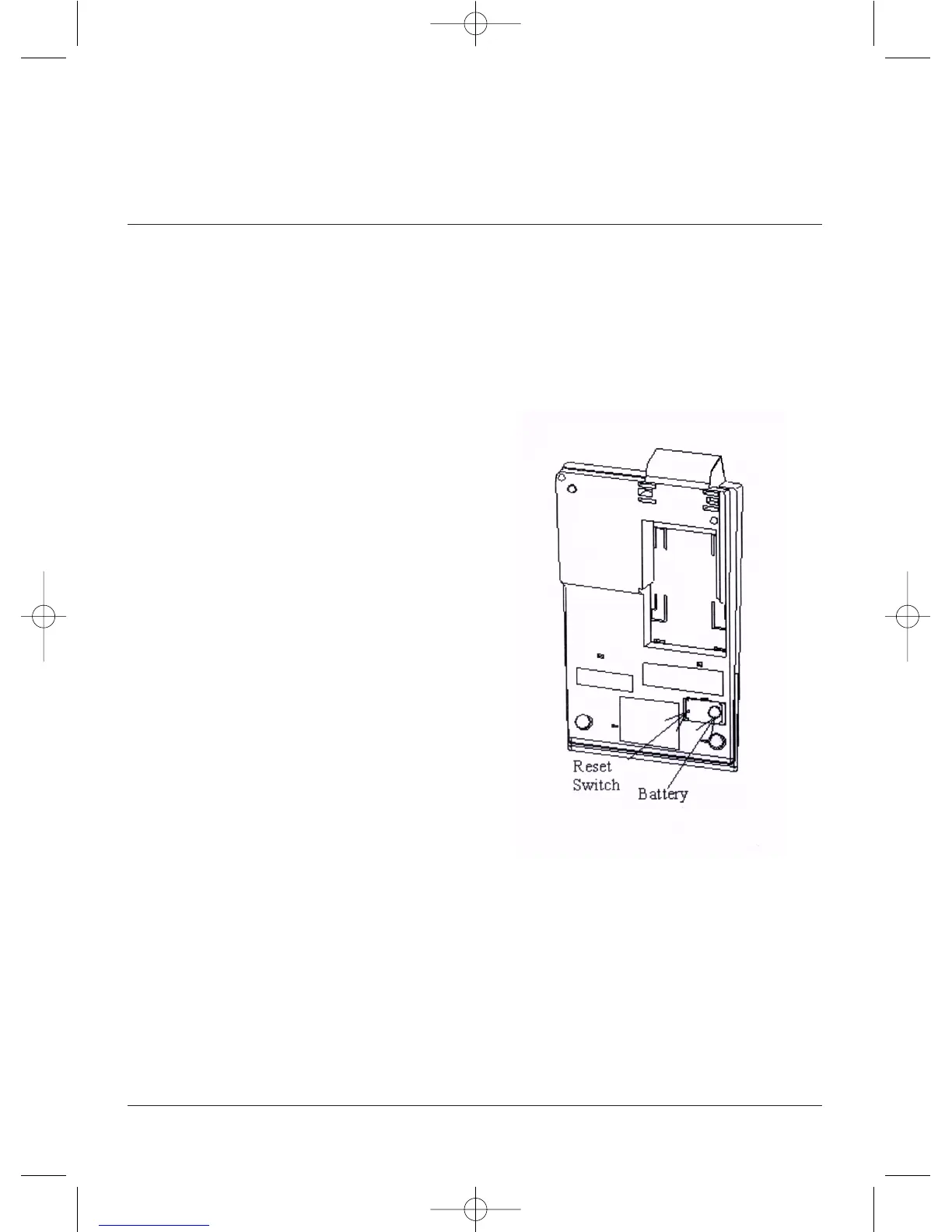
Changing
the Battery
The8125isbatterysupported.Thiseliminates
theneedtore-enterdate,timeandother
J\Z[VTM\UJ[PVUZLUHISLK[OYV\NO[OL¸KLÄUL
key”.Whenthelifeofthebatteryisexhausted,
[OL¸KLÄULRL`¹M\UJ[PVUZ^PSSILSVZ[HUK[OL
battery must be replaced. When replacing the
battery, be sure to follow the steps below.
;\YU[OL(*WV^LYZ^P[JOVMM
9LTV]L[OLIH[[LY`JVTWHY[TLU[JV]LY
located on the bottom right of the calculator
case.
9LTV]L[OL\ZLKIH[[LY`\ZPUNHWLUW\ZO
thebatterytotherightasfaraspossible,using
`V\YÄUNLYZSPKL[OLIH[[LY`[V[OLYPNO[\U[PSP[
clears the battery holder.
+PZWVZLVM\ZLKIH[[LY`PUHJJVYKHUJL^P[O
government regulations
0UZ[HSS[OLUL^IH[[LY`\ZPUNCR2025 or
4VUYVL YLJVTTLUKLK LX\P]HSLU[ IH[[LY`
VUS`6YPLU[[OLYLWSHJLTLU[IH[[LY`so the +
symbol is on the top and slide fully to the left.
7YLZZ[OLRESET button using a pen.
9LWSHJL[OLIH[[LY`JVTWHY[TLU[JV]LY
;\YUVU[OL(*WV^LYZ^P[JO
9LZ[VYL`V\Y+LÄUL2L`M\UJ[PVUZ
CAUTION
90:26-,?736:0650-)(;;,9@0:
9,73(*,+ )@ 05*699,*; ;@7,
DISPOSE OF USED BATTERIES
(**69+05.;6;/,05:;9<*;065
BATTERY
RESET



 To Next Page