10-2007
Page 3 of 7
Step 2
Connect to your Video signal
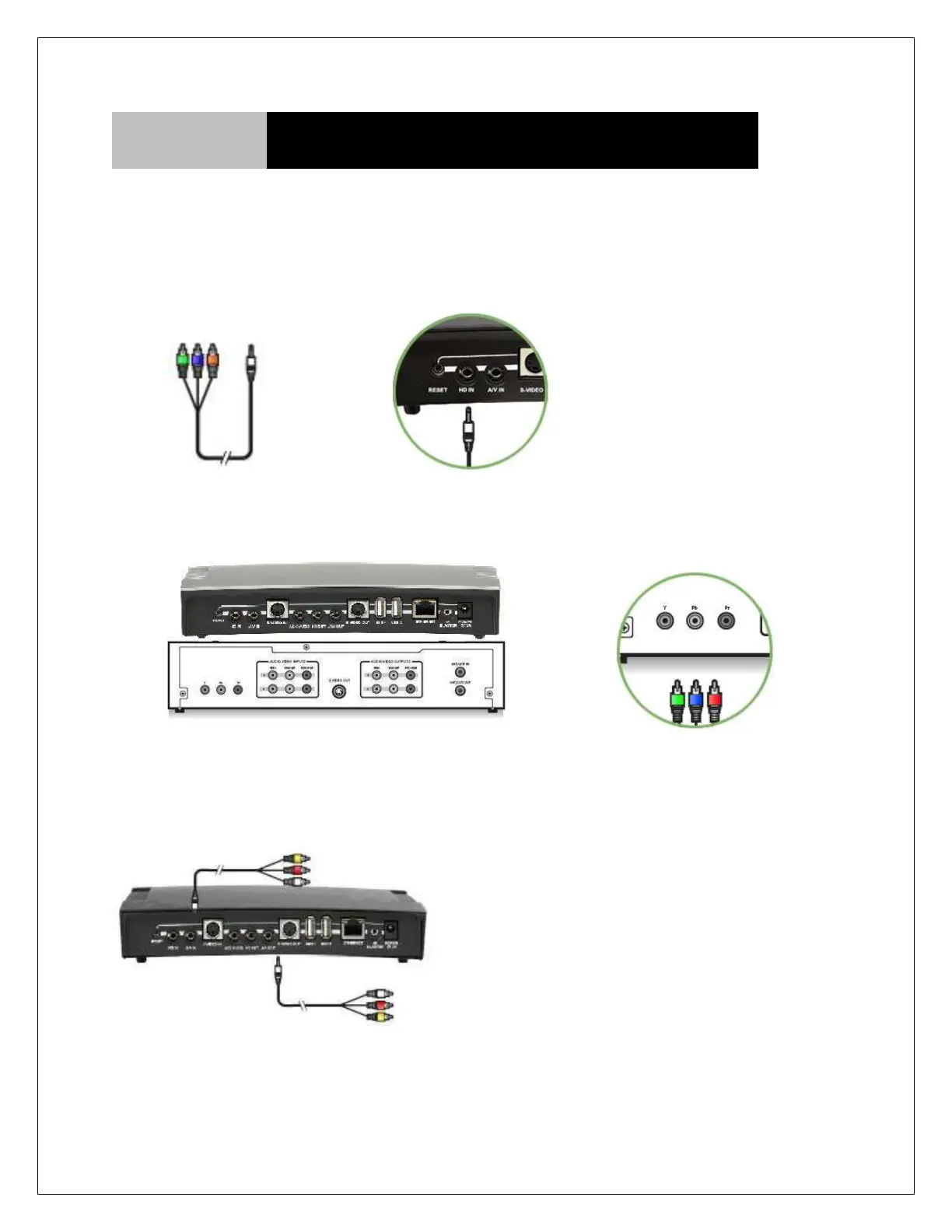
COMPONENT CABLE CONNECTION:
Use the Component Cable (not included) to connect one end from the available Y, Pb, Pr outputs on
your Cable/Satellite box to the HD Component Input on your HAVA. For audio use the composite
cable, but don’t connect the video input.
Component cable HAVA
Cable Set-Top/Satellite/DVR Box Device
Green = Y
Blue = Pb
Red = Pr
Connect to video source
Connect to TV (if needed)
Pass-through Connection



 To Next Page