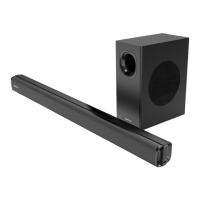
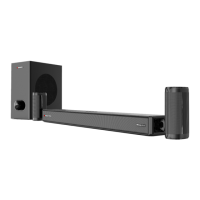
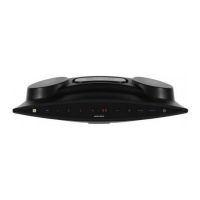
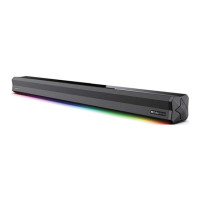
This document describes the Monster MT-SB212DA 2.1.2 Channel Dolby Atmos Soundbar with Wireless Subwoofer, a premium audio system designed to enhance modern lifestyles with an immersive sound experience. The soundbar offers versatile installation options, either free-standing on a flat surface or wall-mounted, providing flexibility to suit various home setups.
Function Description
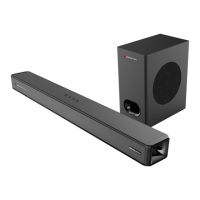
The Monster MT-SB212DA is a 2.1.2 channel soundbar system that delivers Dolby Atmos audio, providing a multi-dimensional sound experience. It includes a main soundbar unit and a wireless subwoofer for enhanced bass. The soundbar features multiple input options, including HDMI (ARC), Optical, AUX IN, and USB, allowing connection to a wide range of audio and video devices such as TVs, DVD players, gaming consoles, and media players. Bluetooth® wireless technology is also integrated for streaming audio from compatible devices. The system supports various audio formats, with specific recommendations for PCM or Dolby Digital output from external devices to ensure optimal sound.
Usage Features
General Operation:
- Power On/Off: The soundbar can be turned on or off using the power button on the unit itself or the POWER button on the remote control.
- Volume Control: Volume can be adjusted using the +/- buttons on the soundbar or the VOL +/VOL - buttons on the remote control.
- Input Source Selection: Users can switch between input sources (HDMI 1, HDMI 2, HDMI ARC, Bluetooth, Optical, USB, AUX IN) by repeatedly pressing the input button on the soundbar or the INPUT button on the remote control. The LED display on the soundbar indicates the current input mode.
- Mute Function: The MUTE button on the remote control allows users to mute and unmute the sound.
- EQ Effects: The remote control provides dedicated buttons for different EQ effects: MUSIC, MOVIE, and NEWS, allowing users to optimize audio for various content types. A 3D button is also available to turn the 3D EQ effect on or off.
- Bass and Treble Adjustment: The remote control includes TREB +/- and BASS +/- buttons to fine-tune the treble and bass levels.
- Reset Function: A RESET button on the remote allows for resetting to factory default settings.
Wireless Subwoofer:
- Automatic Pairing: The wireless subwoofer is designed to automatically pair with the soundbar when both are connected to AC power and the soundbar is in Bluetooth mode.
- Manual Pairing: If automatic pairing fails, the subwoofer can be manually paired. This involves connecting both units to AC power, pressing and holding the PAIR button on the subwoofer until its LED flashes blue quickly, and then selecting Bluetooth mode on the soundbar. The subwoofer's LED will turn solid blue upon successful pairing.
- Placement: For the best sound experience, the subwoofer should be placed on the ground near the soundbar, ensuring the surrounding area is clear of obstructions.
- USB Port on Subwoofer: The USB port on the subwoofer is exclusively for software updates and cannot be used for music playback.
Bluetooth® Connectivity:
- Pairing: To pair a Bluetooth device, activate Bluetooth on the device and search for 'MT-SB212DA'. If prompted for a passkey, enter "0000".
- Operational Range: The Bluetooth operational range is approximately 10 meters without obstructions. Obstacles or weak signal strength may cause disconnection.
- Playback Control: The remote control offers play/pause (►II/RESET), skip forward (►►►), and skip backward (K◄) functions for Bluetooth playback.
- Un-pairing: To un-pair a Bluetooth device, press and hold the PAIR button on the remote for 3 seconds.
- Call Handling: If a mobile phone connected via Bluetooth receives a call, music playback will be interrupted but the call audio will not play through the soundbar. Playback resumes after the call ends.
HDMI (ARC) Functionality:
- Simplified Control: When connected to an ARC-compliant TV via HDMI (ARC), the TV's remote control can adjust the soundbar's volume and mute functions.
- CEC Function: If the TV's CEC function is enabled, the soundbar will automatically turn on/off with the TV.
- Audio Output Settings: For ARC or Optical connections, the TV or DVD settings menu must be set to PCM mode for audio output.
Dolby Atmos Support:
- Requirements: To experience Dolby Atmos, the TV must support Dolby Atmos, or a Dolby Atmos-supported media player must be connected via the HDMI ports using a HDMI 2.0 cable.
- Encoding: Ensure "No encoding" is selected for bitstream in the digital audio output of the connected Dolby Atmos external device.
- Display Indicators: The soundbar's LED display will show "Dolby Atmos" when Dolby Atmos audio is detected and "Dolby Surround" when Dolby Digital Plus audio is detected.
Wall Mounting:
- Instructions: Detailed instructions are provided for wall mounting, including marking drill holes, inserting plastic anchors, driving screws, attaching sponge pads to mounting plates, and finally mounting the soundbar.
- Professional Installation: Wall-mounted installation should ideally be carried out by qualified personnel due to potential risks of personal injury or property damage from incorrect assembly or hidden wiring/plumbing.
- Tools: Additional tools (not included) are required for installation.
- Safety: Do not overtighten screws. When mounting on a wood stud wall, use an electronic stud finder to locate framing studs.
Maintenance Features
- Cleaning: Unplug the soundbar before cleaning. Use only a dry cloth; do not use water or chemicals.
- Power Supply: Use only the power supply provided with the device.
- Battery Care: For the remote control, insert two AAA batteries according to polarity markings. Do not mix old and new batteries or different types of batteries. Remove batteries if the remote will not be used for a long time. Dispose of used batteries according to local recycling guidelines. Keep batteries away from children and pets, and never expose them to extreme heat or fire.
- Environmental Considerations: The product packaging is made from environmentally friendly, recyclable materials. Dispose of packaging correctly and keep plastic wrapping away from children. At the end of its working life, the product should not be disposed of with household rubbish but through an environmentally friendly method to recycle valuable raw materials, as electrical and electronic items contain potentially hazardous substances.
- Troubleshooting: A comprehensive troubleshooting guide is included to address common issues such as no power, remote control not working, no soundbar response, Bluetooth pairing problems, general sound issues, and no sound from specific input modes or apps. Technical and warranty support contact information is provided for further assistance.


 To Next Page
 General
 Weight and Dimensions