EasyManua.ls Logo

Monster MT-SB21 - User Manual

Monster MT-SB21
28 pages
Print Icon
To Next Page IconTo Next Page
Loading...
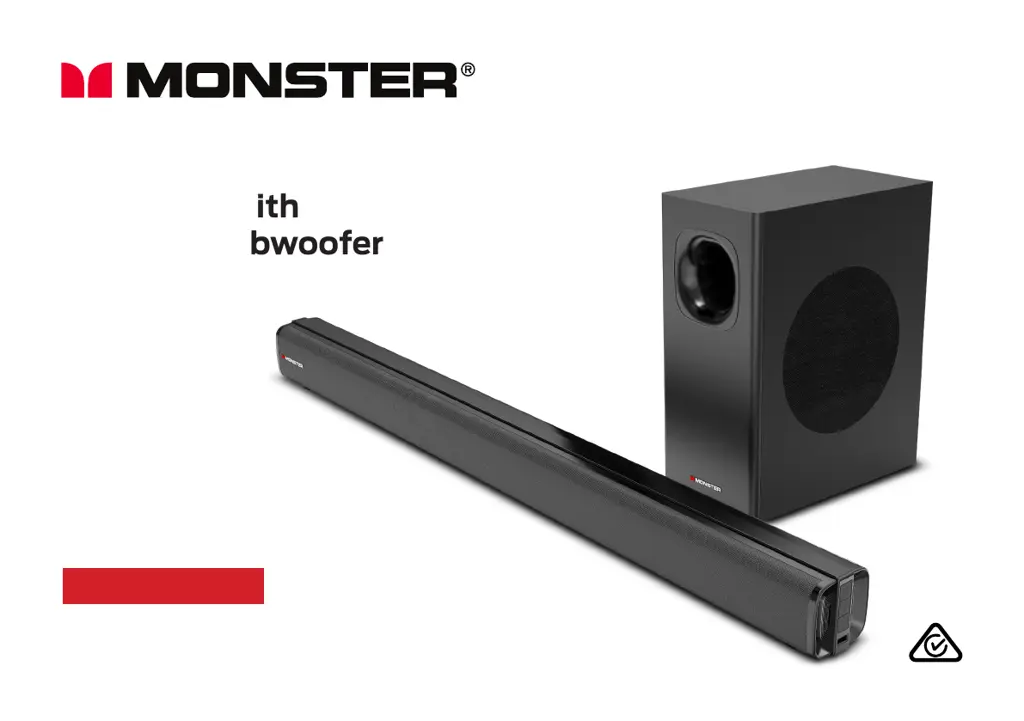
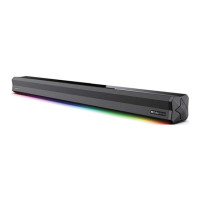
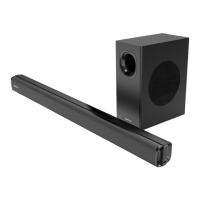
2.1 Channel
Soundbar with
Wireless Subwoofer
User Manual
MODEL: MT-SB21

Questions and Answers

  • M
    Matthew GoldenAug 15, 2025
    How to fix no sound in HDMI ARC mode on Monster MT-SB21?
    • M
      Mrs. Nicole BirdAug 15, 2025
      If your Monster Speaker System soundbar isn't producing any sound in HDMI ARC mode, ensure the input source is set to ARC (the LED will display 'Hd'). Verify that your TV or external device supports ARC and connect the HDMI cable to the ARC port. In your TV/device settings, enable ARC and CEC functions. Also, set the audio output mode to 'PCM'. Ensure the HDMI cable is fully plugged in and that your TV/device isn't muted. Try a different HDMI cable, and make sure you are using a 19 core HD ARC cable.
  • G
    garciajenniferAug 18, 2025
    Why is there no sound coming from my Monster MT-SB21 Speaker System?
    • A
      Amy OlsonAug 18, 2025
      If your Monster Speaker System has general sound issues, make sure it's connected to power, turned on (LED display on), and set to the correct mode using the INPUT button on the remote. To check if the system has frozen, press the volume buttons; the number in the LED display should change. If only a specific input mode isn't working, the setting might be wrong or the cable isn't working.
  • K
    Katrina WeaverAug 22, 2025
    What to do if the Monster MT-SB21 Speaker System remote control does not work?
    • L
      Leslie SuarezAug 22, 2025
      If your Monster Speaker System remote control isn't working, try using it closer to the soundbar, aiming directly at the sensor on the front. Ensure the battery is correctly installed with the polarities (+/-) aligned as indicated. If that doesn't work, replace the battery.
  • K
    karenfernandezAug 25, 2025
    How to fix no connection between Monster Speaker System soundbar and subwoofer?
    • B
      Benjamin RushAug 26, 2025
      If your Monster Speaker System isn't connecting to the subwoofer, and the connection indicator LED flashes blue, turn the soundbar to standby mode and turn off the subwoofer. Wait one minute, then reconnect both to AC power. If the connection fails again, check for and remove any electronic interference. If the issue persists, try pairing the subwoofer manually.
  • R
    robertwrightAug 28, 2025
    Why is the Monster MT-SB21 soundbar not found in the Bluetooth device list?
    • H
      hatfieldericAug 28, 2025
      If your Monster Speaker System soundbar isn't found in the Bluetooth device list, make sure you've unpaired any previously paired Bluetooth devices from the soundbar. Also, ensure that the Bluetooth function is activated on your Bluetooth-enabled device.
  • B
    bentleypaulSep 1, 2025
    How to troubleshoot a Monster MT-SB21 with no power?
    • V
      vanessarasmussenSep 1, 2025
      If your Monster Speaker System has no power, ensure that the power is properly connected and that there is power at the AC outlet. Also, tap the button on the soundbar or press the button on the remote to turn the soundbar on.
  • T
    Theresa ChungSep 4, 2025
    What to do if Monster MT-SB21 has no response?
    • S
      Sandra MorrisSep 4, 2025
      If your Monster Speaker System is not responding, disconnect and reconnect the power, then turn the soundbar on again.
  • V
    vasquezdebbieSep 7, 2025
    Why is there no sound in AUX IN mode on my Monster MT-SB21 Speaker System?
    • J
      Jay Colon PhDSep 7, 2025
      If there is no sound in AUX IN mode on your Monster Speaker System, make sure the LED screen is displaying 'AU'. Turn up the volume on both the soundbar and the external device, ensuring the external device isn't paused or muted. Check that the 3.5mm audio cable is properly plugged in at both ends.
  • L
    Laura CampbellSep 12, 2025
    How to fix no sound in USB mode on Monster Speaker System?
    • I
      iwhiteSep 12, 2025
      To resolve the issue of no sound in USB mode on your Monster Speaker System, ensure that the USB drive is in FAT32 file format and that it's no greater than 32GB.

Monster MT-SB21 Specifications

General IconGeneral
BrandMonster
ModelMT-SB21
CategorySpeaker System
LanguageEnglish

Related product manuals