OPERATION | 19
Operation
Function Action
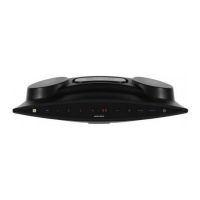
Turn the soundbar
ON
Press the button on the side
of the soundbar, or press the
(POWER) button on the
remote control to switch the
soundbar on.
Turn the soundbar
OFF
Press and hold the button
on the side of the soundbar, or
press the (POWER) button
on the remote control to
switch the soundbar off.
Change the input
source/mode
When the soundbar is on,
press the INPUT button on
the remote repeatedly or
the button on the side of
the soundbar repeatedly to
change the input source.
Increase/Decrease
the volume
Press the + / - buttons on the
soundbar or the VOL + / VOL -
buttons on the remote control
to adjust the volume level.
General Operation
Input Modes
Mode LED display
Standby
HDMI (ARC)
Bluetooth
Optical
AUX IN
USB


 To Next Page