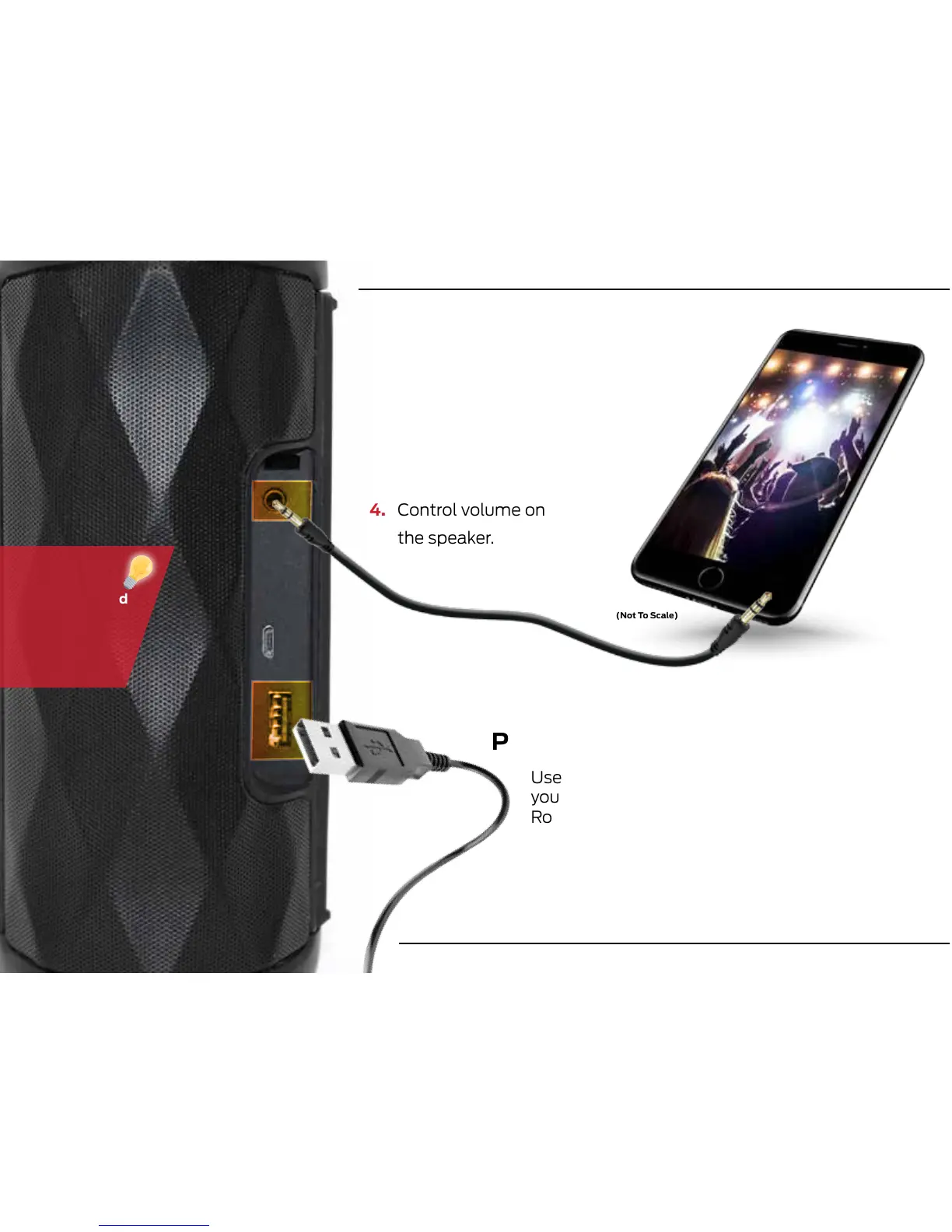
(Not To Scale)
3.5MM AUX INPUT (Cable Included)
POWER BANK (Cable Not Included)
1. Ensure the speaker is turned on
2. Plug a the 3.5mm cable into the
AUX port
3. Connect your audio device to the
AUX cable to play your music.
4. Control volume on
the speaker.
Use the speaker as a power bank to charge
your mobile phone or other device via the
Rove’s USB charging port.
For best
sound it is
recommended
to turn the
volume on
your mobile
device up.
8









 To Next Page