HELP & TROUBLESHOOTING
For additional help please contact our support team at:
Phone: Telephone: 1-800-976-0677
Email: support@mymonsteraudio.com
Hours of Operation:
Monday - Friday: 7:00 am - 5:00 pm (PST)
Saturday - Sunday: CLOSED
No power / Will not turn on
Press the battery indicator button to check the current battery level. Plug
into a power source and charge the speaker.
No sound playing
● Increase the volume on source device, press Volume Up (+). Ensure device
is not muted.
● Increase the volume on speaker, press Volume Up (+).
● Ensure speaker is properly paired with the source device.
● Press Play/Pause button on speaker.
● If source device is outside Bluetooth range move speaker closer.
Smartphone / Tablet remote
app isn’t working
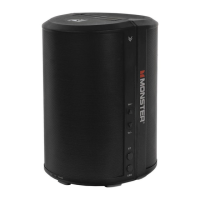
Ensure phone or tablet is properly paired with the Solara speaker.
LED button is fl ashing red
Please charge by plugging directly into wall outlet. Ensure that charging
cable is not damaged.
19










 To Next Page