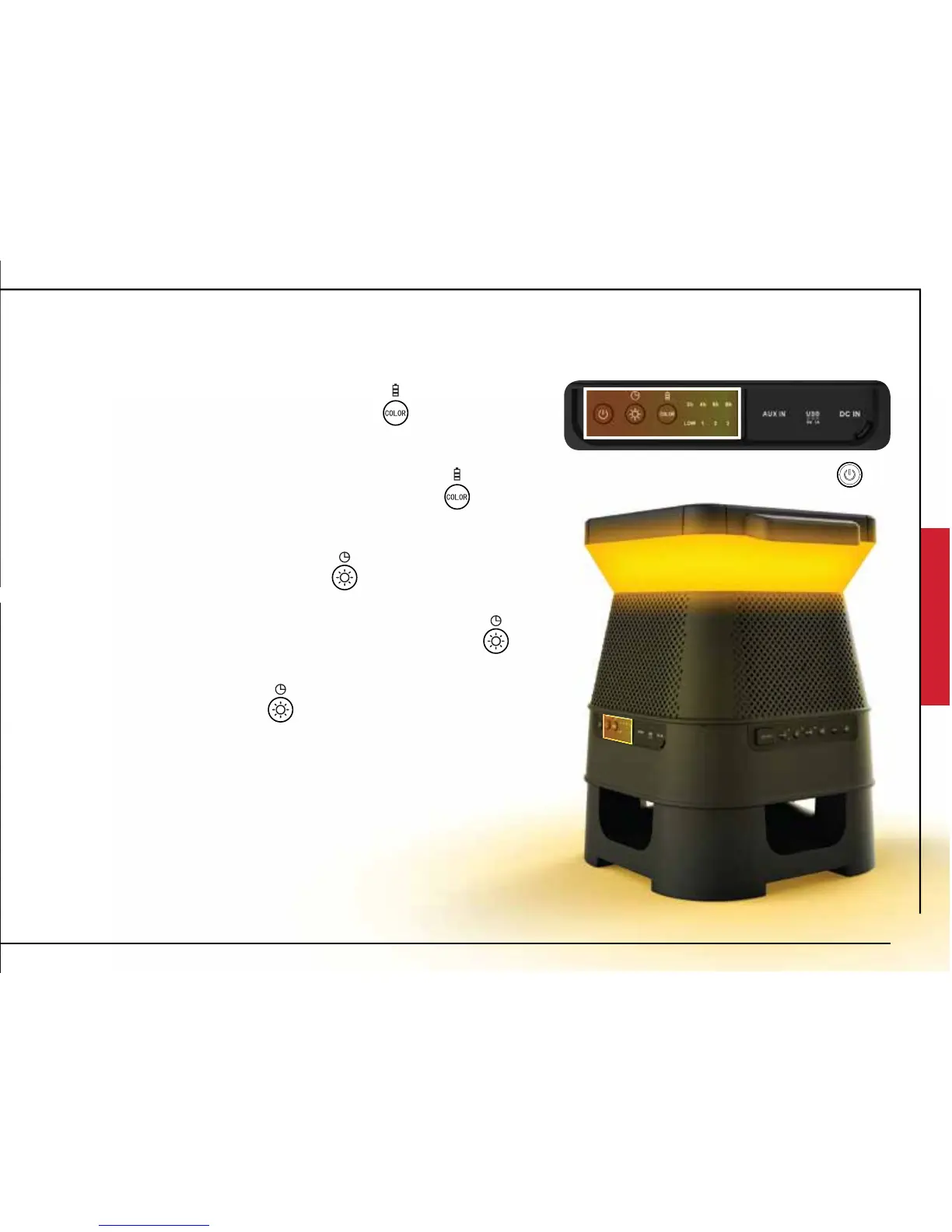
LED COLOR FUNCTION
CHANGING COLORS
Short Press the Color/Battery Indicator button to
cycle through the preset colors:
Chrome (Demo Mode), Red, Dark Blue, Green, Purple,
Amber, Light Blue, White
NOTE: Long Press (3 seconds) the Color/Battery Indicator button
to display battery capacity: (LOW, 1,2,3)
AUTO MODE
Auto Mode will be enable/disabled when light sensor in solar
panel detects change from day to night or night to day.
Day Time (AUTO MODE ON): Lights will remain o during
day time, unless user input changes light brightness, color, or
enables timer.
Night Time (AUTO MODE ON): Lights will remain on durring
night time to the last color and brightness level setting that
was used. NOTE: To disable AUTO MODE at night set brightness to 0%
Long Press (3 seconds) the Standby key
to enter Standby mode mode
9
CHANGING LIGHT BRIGHTNESS/TIMER
Short Press the Light/Brightness button to cycle through
the preset brightness level:
100%, 75%, 50%, 25%, OFF.
Long Press (3 seconds) the Light/Brightness button to
adjust light timer duration:
2 Hours, 4 Hours, 6 Hours, 8 Hours
NOTE: When light is OFF, press the key to turn light ON










 To Next Page