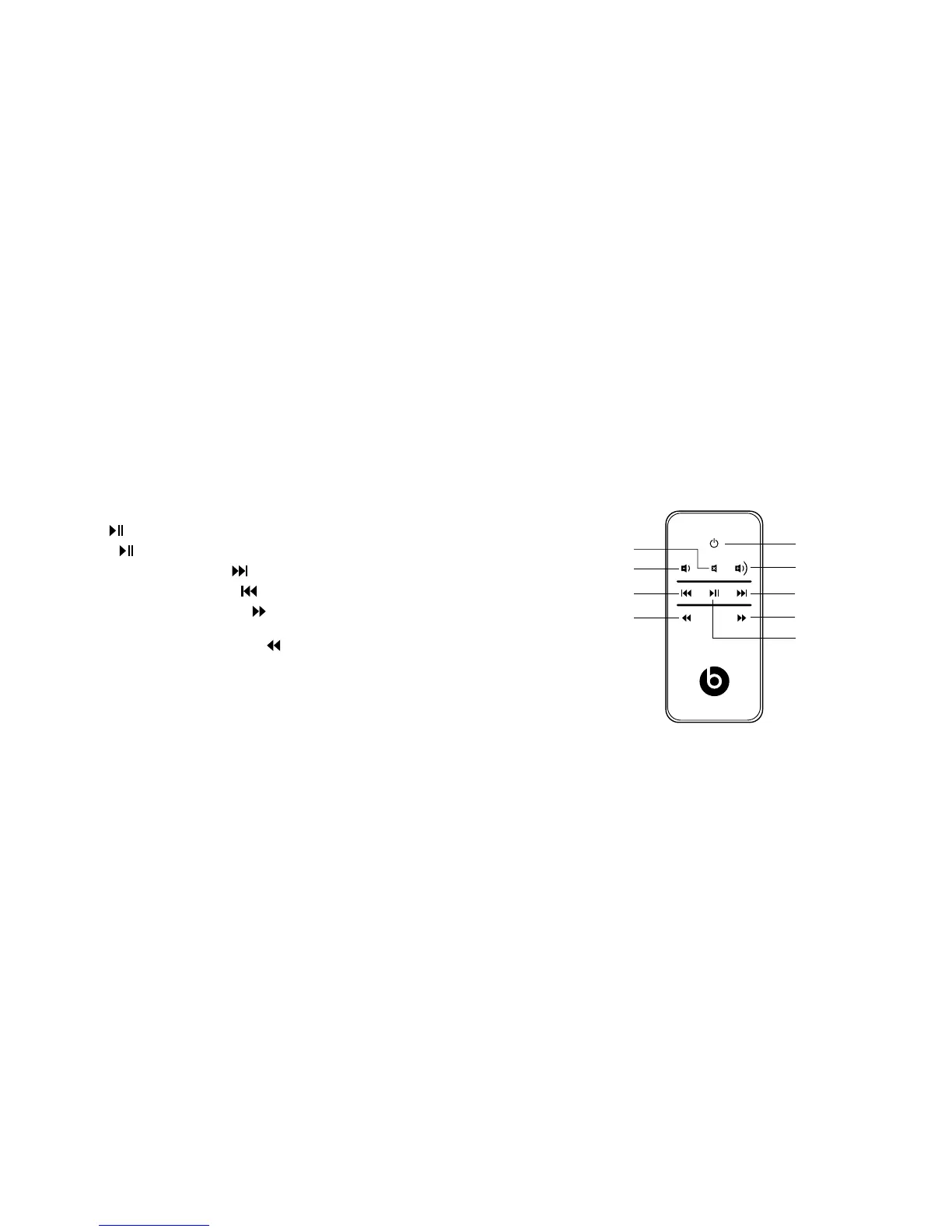
Using Remote Control to Control iPod
®
/iPhone
®
The included remote control can be used control playback
of a docked iPod or iPhone.It cannot control playback
of other connected devices.
Using Remote Control for iPod or iPhone Playback
Play: Push
and release.
Pause: Push
and release. Push again to resume play.
Skip forward to next track: Push
and release.
Skip back to previous track: Push
and release.
Scan forward through a track: Push
and hold.
Release to stop scanning and resume normal play.
Scan backward through a track: Push
and hold.
Release to stop scanning and resume normal play.
Power
Volume up
Skip forward
Scan forward
Play/pause
Skip back
Scan back
Volume down
Mute










 To Next Page