MOOD: Rev. 3/26/2021 Page | 5
2. Using an IP address: From a browser like Chrome (works best), Firefox, or Microsoft Edge, navigate to
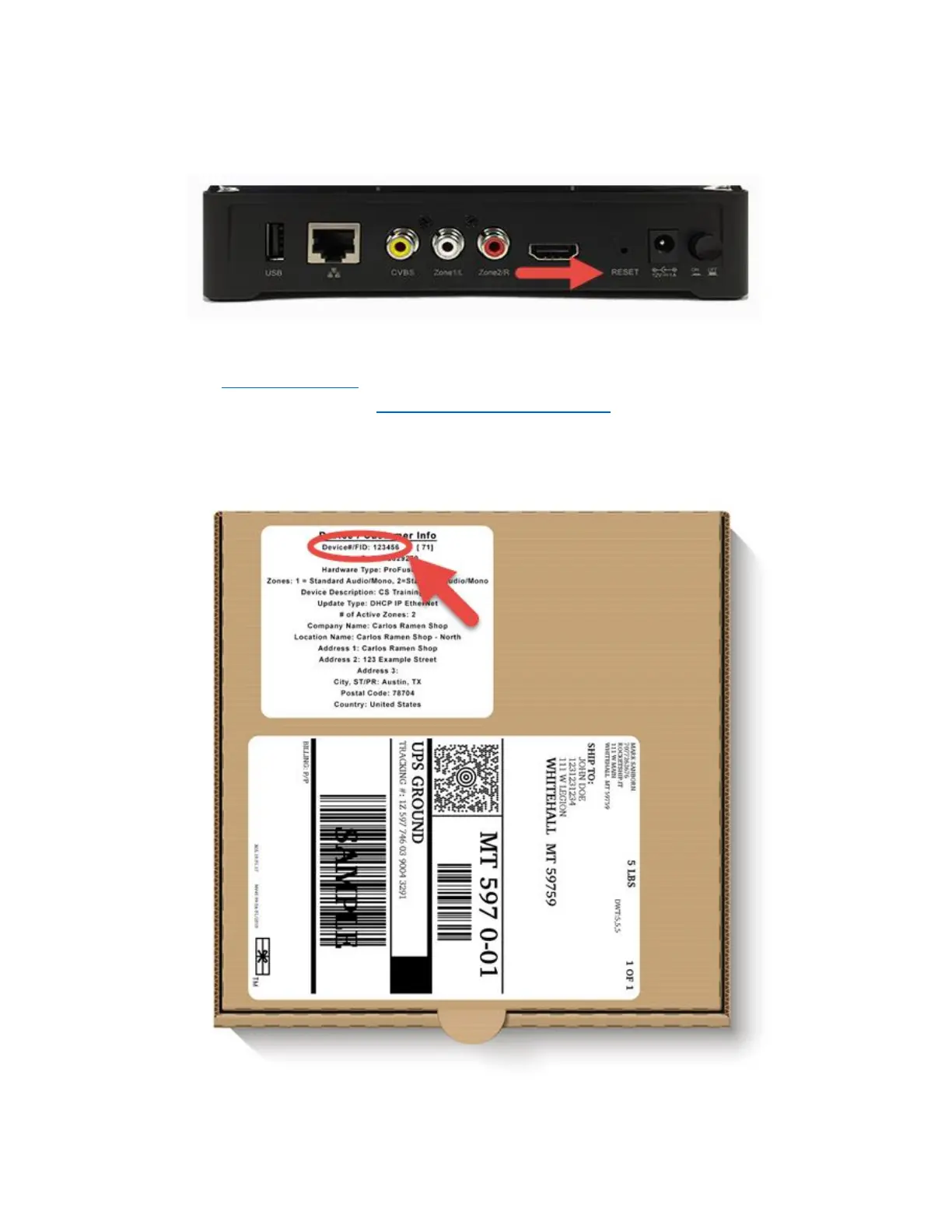
the IP address of the ProFusion iO device. To obtain the IP address of your ProFusion iO, locate a paper
clip and press and hold the reset button the back of the player for 2 seconds. Your ProFusion iO will
begin to speak the IP address over your speakers.
3. Using the web link: Type the following into your browser's address bar to access the ProFusion's
control panel: https://profusion-[DEVICEID].local Replace DEVICEID with the 6 digit device ID of your
ProFusion iO player. (Example: EX: https://profusion-398994.local) This is found on the sticker on the
box the ProFusion iO came in.


 To Next Page