13
In fact, the GAIN module is a part of DRIVE module, the RATE module
is a part of MODULATION module, the D.TIME module is a part of
DELAY module, and the DECAY module is a part of REVERB module.
They are all parameter’s value setting module which belongs to the
previous effect module.
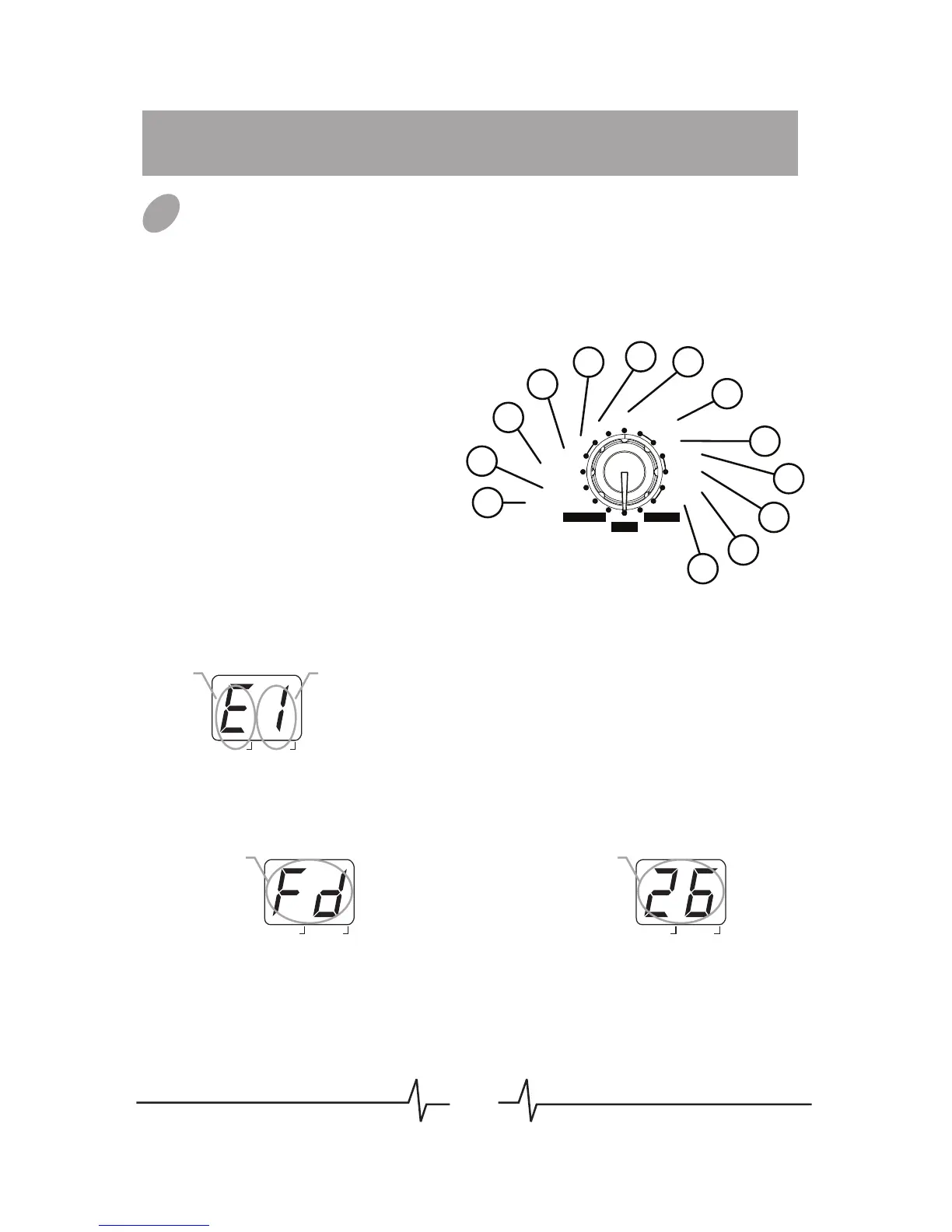
Type & Para: The effect type (left
side of the display) and parameter’s
value (right side of the display) are
adjusted simultaneously.
Type: Only select the effect type.
Para: Only adjust the
parameter’s value.
01.PATCH LEVEL (Para)
02.PEDAL (Para)
03.COMP/WAH (Type & Para)
04.DRIVE (Type)
05.GAIN (Para)
06.EQ (Type & Para)
07.NR/CAB (Type & Para)
08.MODULATION (Type & Para)
09.RATE (Para)
10.DELAY (Type & Para)
11.D.TIME (Para)
12.REVERB (Type & Para)
13.DECAY (Para)
01
02
03
04
05
06
07
08
09
10
11
12
13
EQ
NR/CAB
GAIN
DRIVE
COMP/WAH
PATCH LEVEL
RATE
DELAY
D.TIME
REVERB
DECAY
MODULATION
PLAY
STORE
RHYTHM
PEDAL
BANK
Effect
type
Parameter’s
value
PATCH
# EDIT
BANK
Effect
type
PATCH
# EDIT
BANK
Parameter’s
value
PATCH
# EDIT
Patch Editing
Select Effect Module
Set the Module Selector to the effect module which you want to
edit, the available setting options are listed below:
01



 To Next Page