Panel Layout
02
03
04
05
06
07
08
09
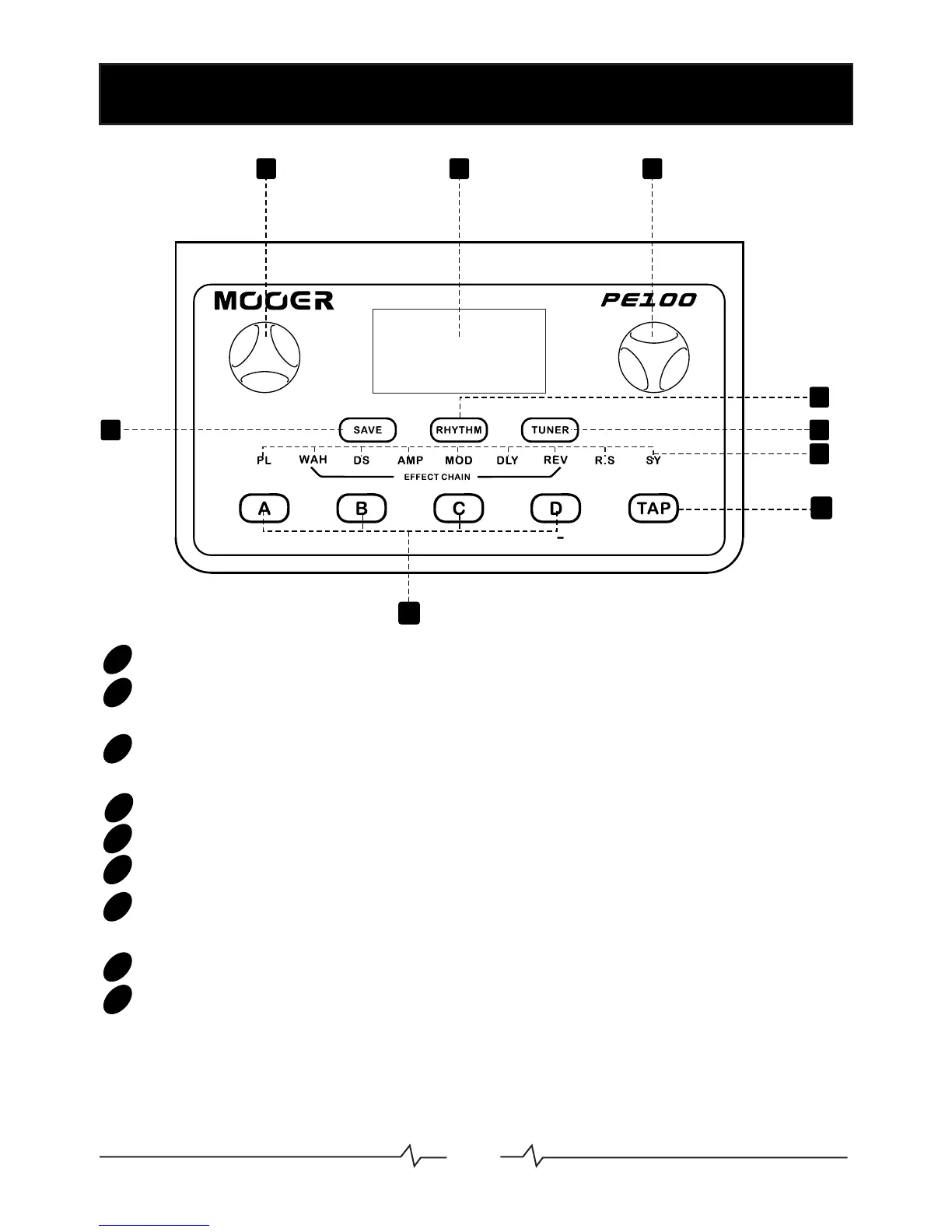
MODE:Control for scrolling through the various pages in the menu
LCD Display: Displays the User Interface and provides all information
for presets and parameters
VALUE:Control for adjusting various parameters and selections within
the User Interface.
SAVE: Press to enter preset saving page
RHYTHM:Press to access Drum machine and Metronome
TUNER: Press to access guitar tuner
EFFECTS CHAIN:Indicates the operational status of the different
effect blocks and the currently selected page within the User Interface
Quick Recall buttons:Quickly recalls 4 of your favorite presets
TAP:Tap tempo control for use with the drum machine, metronome and
delay effects
1 2
3
4
5
6
7
9
8
01
MODE
VALUE
EFFECT
ON/OFF
02



 To Next Page