Operational Guidance
Preset Selection
Power
Master of Guitar Volume
02
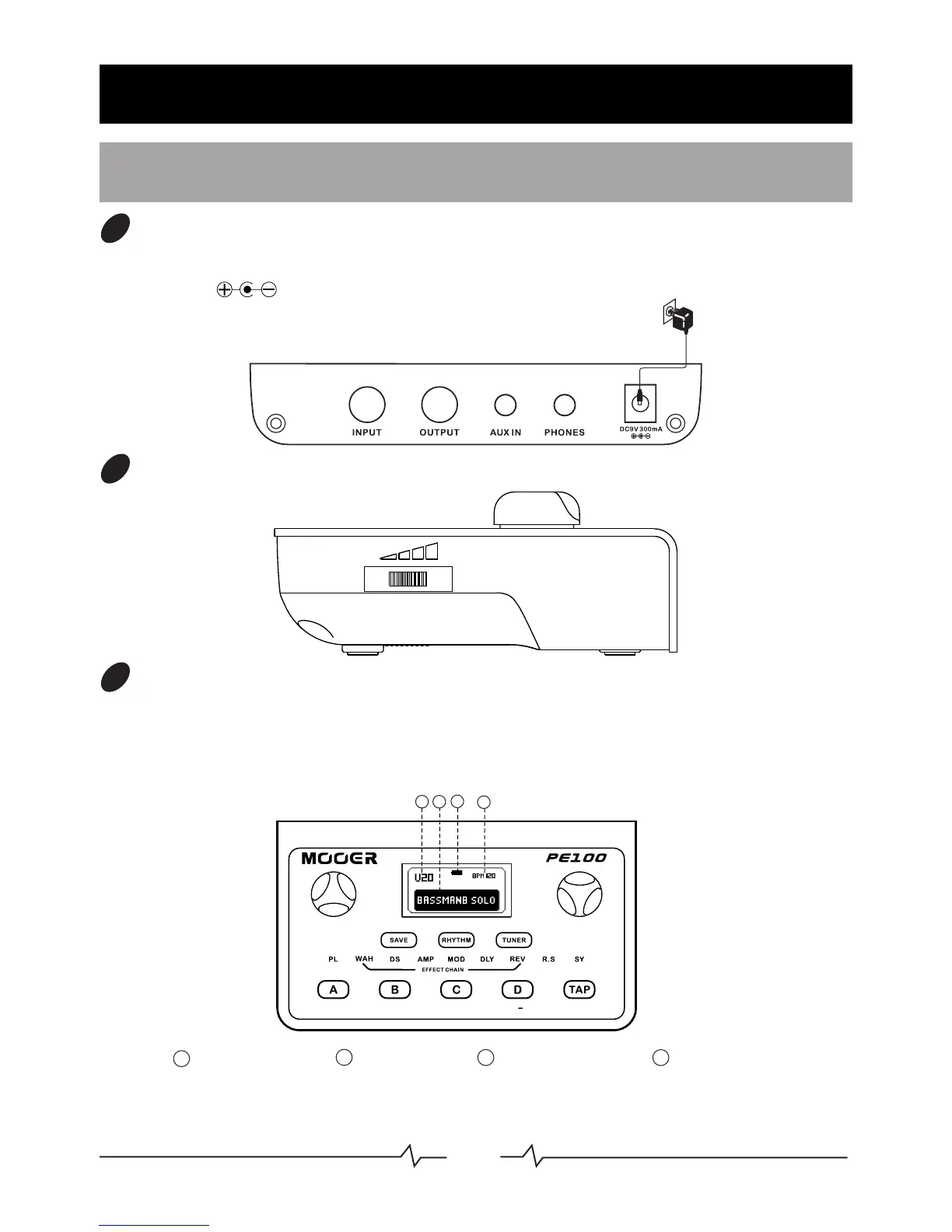
Preset name
Preset number
1
2
Drum speed
4
Battery capacity
3
01
Connect the supplied power adaptor to the DC-IN jack located on the rear side.
(9V, 300mA, ), Plugging a Jack cable into the input will activate the power
when using batteries.
Preset Selection
03
Rotate the MODE control until "PL" is highlighted brightly on the "EFFECTS CHAIN'
panel. The LCD Display will indicate the information of the current preset(P or U) . P
stands for factory preset, U stands for user Preset. Rotating the Value control whilst
on the Preset page will scroll through the various presets.
1
3
4
2
MODE
VALUE
EFFECT
ON/OFF
Adjust the master output volume
04



 To Next Page