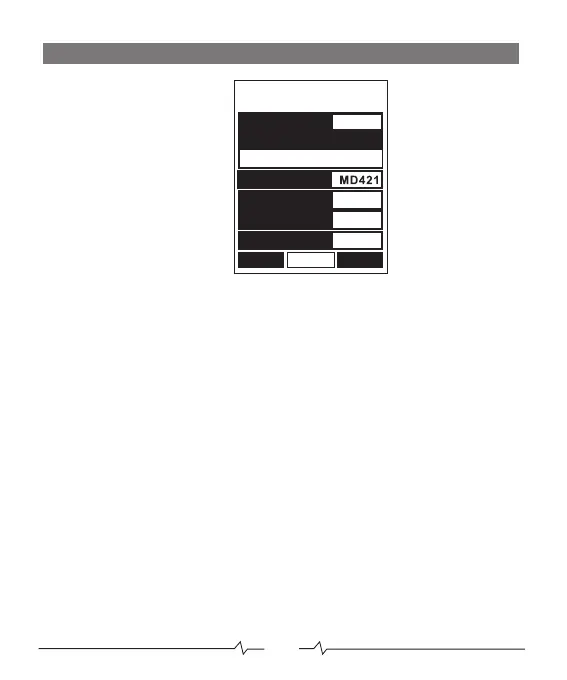
CAB/MIC SCREEN
CAB
Turn the speaker cabinet modelling on/off
MODEL
Select the cabinet model
MIC
Select the microphone type
MIC VOL
Adjust the microphone gain level
C-EDGE
Adjust the horizontal position of the microphone in relation to cabinet driver
0 = Centre of speaker cone 30 = Edge of speaker cone
DISTANCE
Adjust the distance between the microphone and the speaker cabinet
0 = Close mic’d cab 50 =Far mic’d cab
BACK
Move to POWER AMP screen
SAVE
Save the preset
NEXT
Move to EQ screen
BACK
SAVE
NEXT
U01
ON
CAB
MODEL
1.Champer 1x8
C-EDGE
25
MIC VOL
+04
DISTANCE
MIC
5
08


 To Next Page