PRESET PAGE
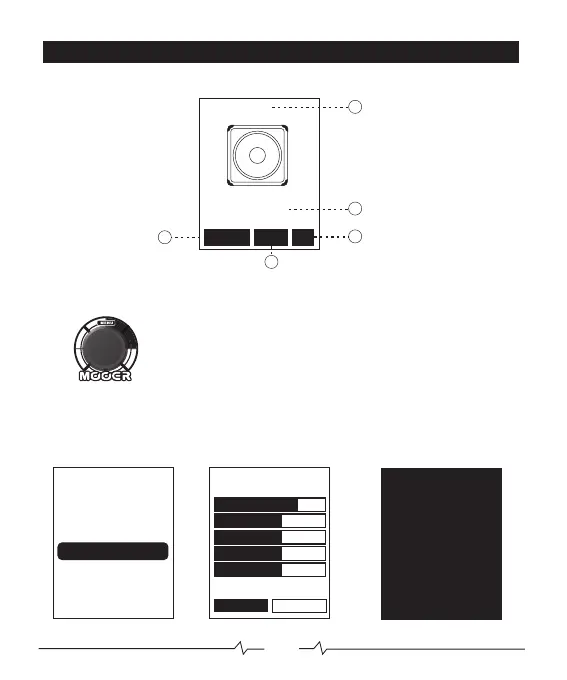
In the preset selection page the screen will display various information
1. PRESET NUMBER
2. CAB MODEL
3. POWER AMP ON/OFF
4. CAB ON/OFF
5. EQ ON/OFF
01
02
05
03
ROTATE the MENU control to scroll through presets
PRESS to access master volume
ROTATE to adjust master volume
PRESS to return to PRESET PAGE
PRESS + HOLD for a second
to edit preset (see below)
PRESS + HOLD for 2 seconds to bypass
PRESS to return to PRESET PAGE
Bypass
NEXTSAVE
U01
ONPOWER AMP
INPUT
PRESENCE
TUBE
6V6
5.2
6.6
OUTPUT
6.7
Bypass
U01
100%
MASTER
U01
1x8
Champer
POWER CAB
EQ
04
06


 To Next Page