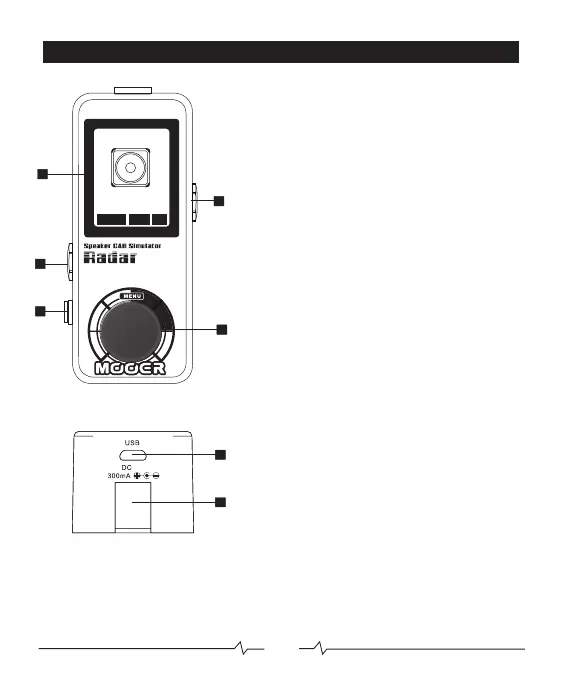
PEDAL LAYOUT
1.INPUT
Connect to your pedalboard
or preamp output using
a ¼” jack cable
2.OUTPUT
Connect to a soundcard or
mixing desk using a¼” jack cable
for unbalanced output
1/4” TRS stereo jack cable
for balanced output
3.HEADPHONE
Connect to your headphones or
soundcard using a 1/8” jack cable
4.SCREEN
Displays all menu’s and relevant
information
5.MENU
Used to programme and edit RADAR
6.DC IN
Connect to a12V DC power source
7.MICRO USB
Connect to a computer via micro USB
cable for loading custom IR models and
editing via the PC software
1
2
12V
3
4
5
5
7
6
U01
1x8
Champer
POWER CAB
EQ
05



 To Next Page