MOON Orion DVD Transport / Player
Remote Control Operation
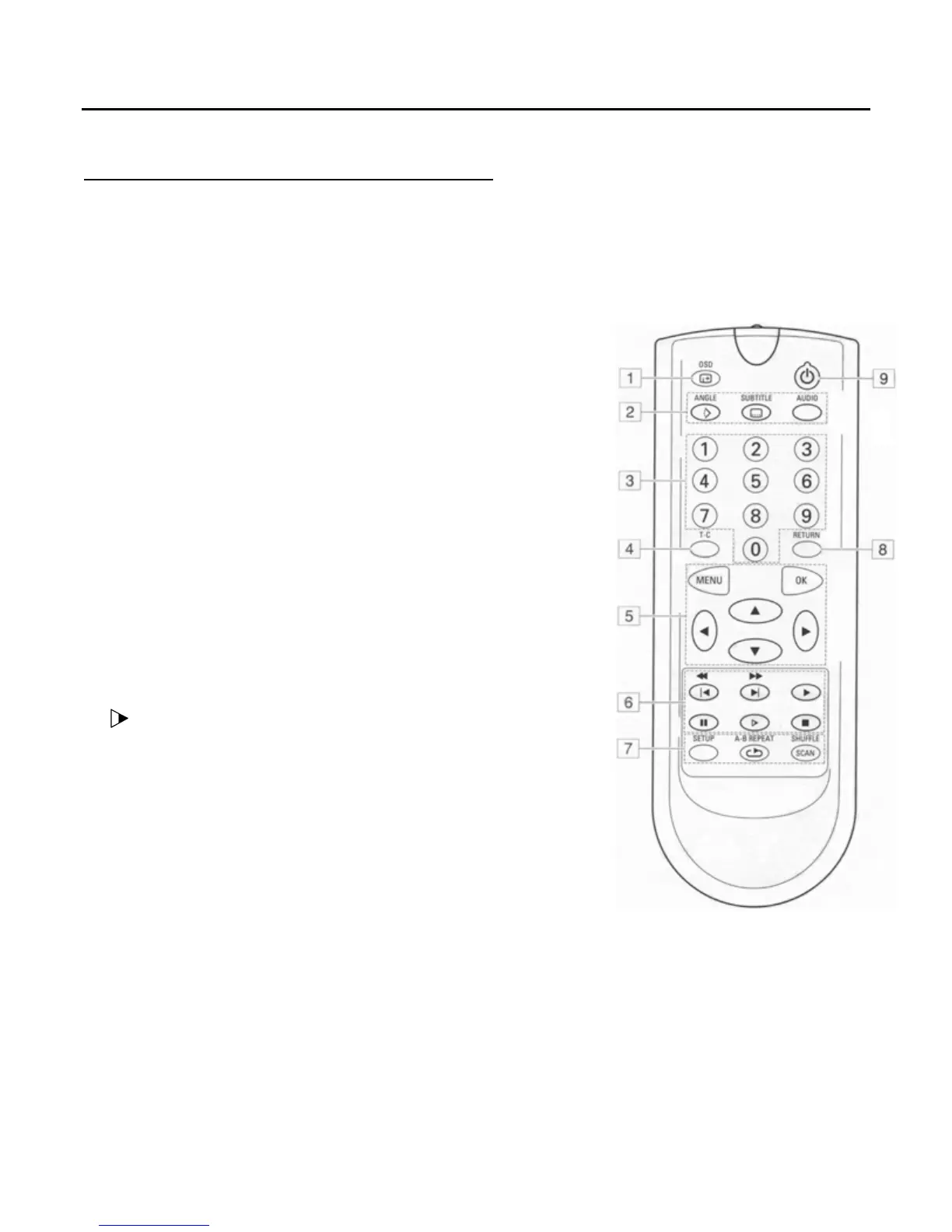
1. OSD ......................................On screen display on /off
2. ANGLE ................................ Select DVD camera angle
SUBTITLE .......... Subtitle on / off and language select
AUDIO ........... Select the language of the audio tracks
3. 0 - 9..................................................numerical keypad
4. T- C..................................Title / chapter mode selector
5. MENU ................................ Select DVD defined menu
........... left, up, right, down cursor movement
OK ................................. acknowledge menu selection
6. X
.…………………………………………………………………… Play
.………..…….….. Previous / Next chapter or track
* ………………………….....… Back / Forward search
..……………………………………………………….………... Stop
* ………………………….....………… Open/Close the drawer
..……………………………………………………….………. Pause
…………………………. slow motion (1/2, 1/4, 1/8 speed)
7.
SETUP Select player setting menu (In stop mode only)
REPEAT* ........................... Repeat chapter, track, disc
A-B REPEAT...................................... Repeat selection
SCAN ………………………………………………….Scan on / off
SHUFFLE *………………………….… Shuffle mode on /off
8. RETURN …………………… go back to previous menu step
9. STANDBY.…………………………………………….Standby / on
* These buttons perform a second function. You must press and hold the button for a full second for
the DVD Transport / Player to acknowledge these secondary functions from remote. This remote
control uses two AAA batteries (included). To install them, remove the small battery cover on the back,
put the battery inside with respect to polarity(+,-) and then re-install the battery cover.
____________________________________________________________________________________
Remote Control Operation 12


 To Next Page