MOON Orion DVD Transport / Player
Installation Tips
The MOON Orion DVD Transport/ Player should be placed on a rigid surface to prevent any accidents
such as falling over. It is highly recommended that it sits on its own dedicated shelf.
You should never place another component on top of this DVD Transport / Player. As well, you should
avoid placing it near a heat source or inside a closed cabinet that is not well ventilated. This could
compromise the Orion’s performance and reliability.
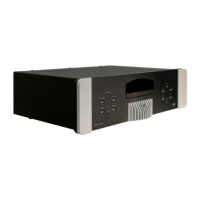
In the event that you intend to place your Orion in a rack mount type installation, we’ve made the
setup as user-friendly as possible. Simply remove each of the two (2) vertically mounted silver colored
aluminum cheeks found on either side of the front faceplate using an SAE 1/8 inch allen key; You will
find two (2) screws located on the rear of each side of the front faceplate which hold each aluminum
cheek in place. When removing these screws, make sure to keep one hand on the aluminum cheek so
that it won’t fall and cause any damage. Once all four (4) screws have been removed, you will have
exposed the four (4) rack mount holes and the MOON Orion will be ready for mounting in a three (3)
rack space area. We recommend that you store the aluminum cheeks and their accompanying
mounting screws in a safe place in the event that you require them in the future.
Finally, you should make all of your audio and video signal connections prior to making the AC
connection between the Orion and the AC wall outlet.
____________________________________________________________________________________
Installation Tips 6


 To Next Page
