Need help?
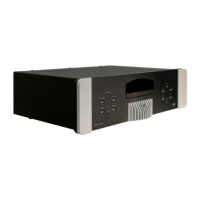
Do you have a question about the moon STELLAR and is the answer not in the manual?
Covers basic functions like Power, Angle, Subtitle, Audio, Setup, and Menu controls.
Explains cursor movement (up, down, left, right) and menu selection confirmation (OK).
Details controls for Play, Next/Previous Chapter/Track, Back/Forward Search, and Pause.
Instructions for repeating specific chapters, entire titles, or the whole disc.
How to turn subtitles on, off, and cycle through available language options.
Details on selecting different audio languages and channel configurations available on discs.
Guide to accessing and navigating disc-specific menus for options like subtitles and chapters.
Guides on selecting or excluding specific tracks to create a custom playback program for CDs.
Section directing users to detailed parental control settings for disc access management.
Configures digital audio output for various formats (Dolby, DTS, PCM) or turns it off.
Steps to enable parental controls, set a PIN, and authorize discs for playback.
Process for granting permission to play specific DVD discs after entering the PIN.
Instructions on how to set a 4-digit Personal Identification Number using the remote control.
 General
| Brand | moon |
|---|---|
| Model | STELLAR |
| Category | DVD Player |
| Language | English |


 To Next Page