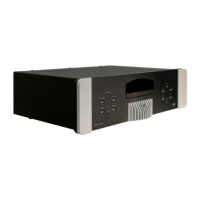
MOON Stellar DVD Player
Standard Video Connections
There are three ways to connect the MOON Stellar DVD player to your video equipment using
standard video connections. They are presented here in order of increasing quality. For a Stellar
equipped with the optional Faroudja DCDi™ Line Doubler, you can jump to the ‘Progressive Scan
Video Connections’ section on the next page. Remember that whatever connection type you decide to
use, don’t hesitate to use high quality video cables. Lesser quality cables can degrade the video
quality.
For better image quality, we suggest that you connect your Stellar directly to your TV or video
projection unit. Certain home theater installations use a video switcher which often leads to some
degradation of video signal quality. In these situations, we recommend that you use the switcher for
all your video connections with the exception of the Stellar DVD player, connecting both the video
switcher and the Stellar directly to your TV’s or video projection unit’s separate inputs.
Also, each output is independently buffered so can you use more than one output at the same time if
ever your setup requires such a connection.
A) Composite (CVBS)
This is the most common video connection. Nevertheless, you should use it only in the event that
neither of the following two connections are available on your TV/video projection unit, as it provides
the lowest video quality of those offered on the Stellar.
B) S-Video (Y/C)
This connection offers high quality video reproduction and the advantage of using only one (1) video
cable (S-Video type with a mini-DIN connector). It is a compromise between video image quality and
the number of cables used.
C) Component Interlaced (YP
B
PB
R
)
This connection offers the highest possible video reproduction quality with interlaced video equipment
(i.e. non-Progressive Scan) and uses three BNC connectors. You should use video cables terminated
with BNC connectors. In the event that these aren’t available, you can also use video cables
terminated with RCA connectors and RCA-to-BNC adaptors. Connect the three outputs labeled Y, P
B
and P
R
to the corresponding inputs on your TV or video projection unit.
____________________________________________________________________________________
Standard Video Connections 8



 To Next Page