MOON Stellar DVD Player
Rear Panel Connections
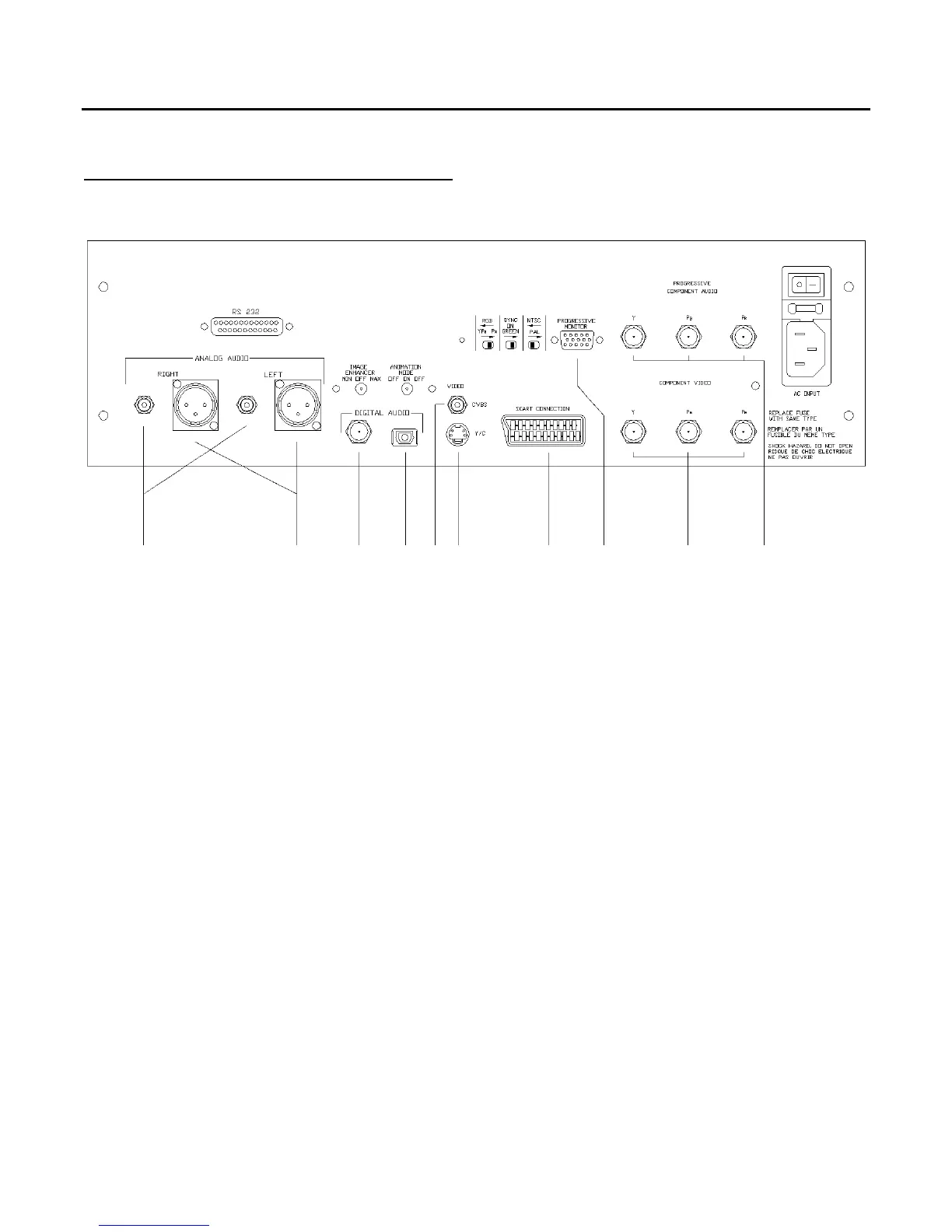
I H F G A B J E C D
Figure 1: Rear panel of the MOON Stellar DVD Player (shown w/ optional line doubler)
There are a variety of ways to connect your MOON Stellar DVD player to other audio and video
components. Your choices will depend on both, your needs, and the connections available on other
equipment that you currently own. Your choices for audio connections and video connections are
completely independent of each other; alternatively, you can use the 21-pin Audio/Video SCART
connector for both the audio & video connections in the event that your TV supports this format
(mostly in European countries).
Once you’ve completed connecting all of your audio and video cables, connect the supplied AC power
cable to the IEC receptacle, located on the rear panel. Alternatively, if you wish, you may use a
dedicated high-performance AC cable designed for digital source components. Ensure that the AC wall
outlet you use has a functioning ground. For the best possible performance, it is preferable that you
plug your Stellar directly into a dedicated AC outlet and avoid using an extension cord. We strongly
recommend that the detachable power cord not come into physical contact with any of the audio or
video cables running from your Stellar. In the event that this can’t be avoided, you should ensure
that any cables coming into contact with each other are crossed at ninety degree angles to minimize
the contact area.
The rear panel of the MOON Stellar DVD Player is similar to figure 1 at the top of this page. Each letter
(A through J) corresponds to a different type of connection, all of which will be described on the next
three pages.
____________________________________________________________________________________
Rear Panel Connections 7



 To Next Page