MOON Stellar DVD Player
Progressive Scan Settings
Available ONLY with the optional Faroudja DCDi™ Line-Doubler
The
DCDi™ Line Doubler circuit that provides the ‘Progressive Scan’ output for the MOON Stellar has
several settings that you can adjust to enhance the picture according to your equipment and personal
preferences.
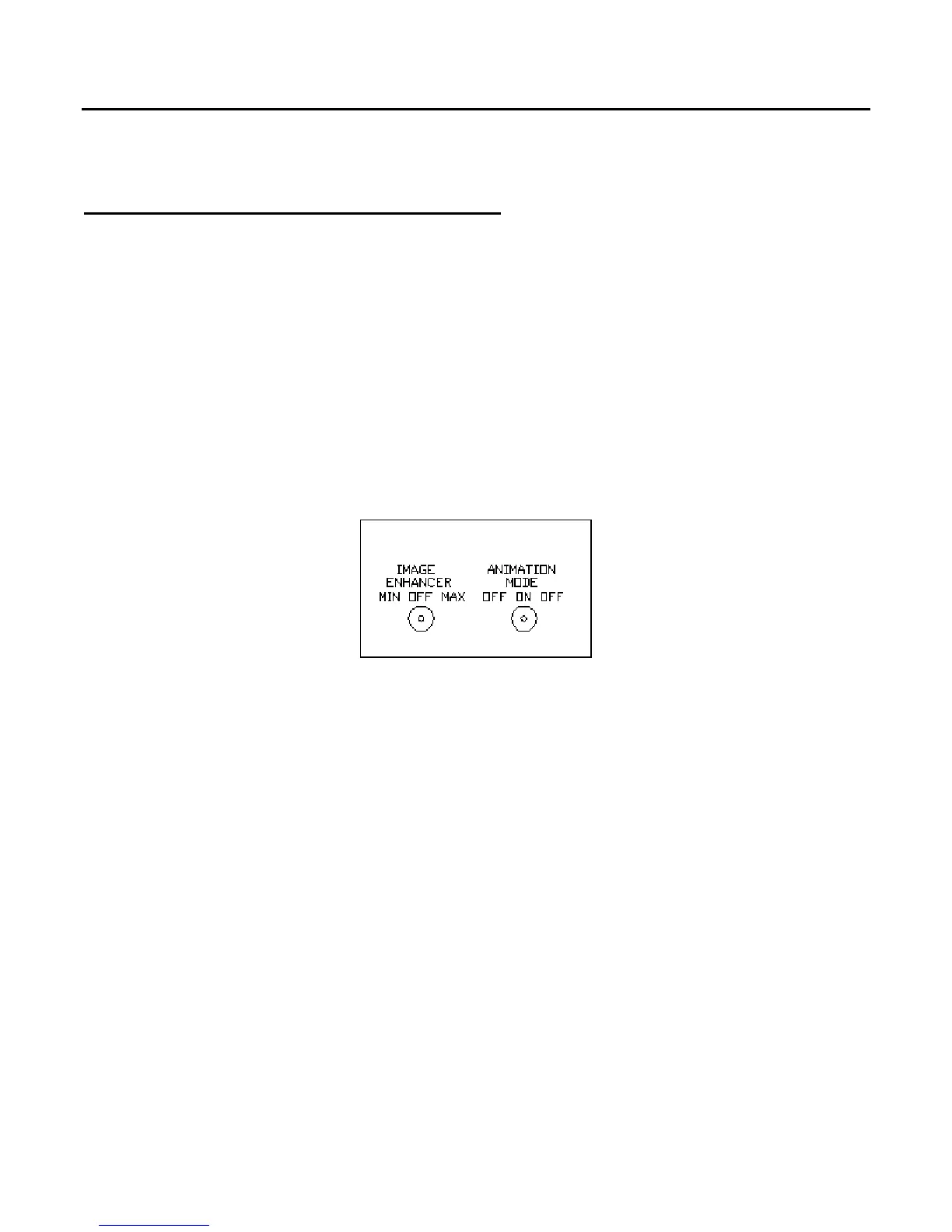
There are two (2) switches located on the back panel directly above the digital audio output
connectors. They allow you to change those settings. They are represented below in figure 5.
Figure 5: MOON Stellar DVD Player Optional Progressive Scan adjustments
Image Enhancer
The Image Enhancer restores and presents more details in the video image. The three (3) position
switch allows you to set the image enhancer to ‘Min’ for minor enhancement, ‘Max’ for maximum
enhancement or off (as indicated on the back panel). You can tweak your video system using this
setting in conjunction with the sharpness control on your TV or video projection unit.
Animation Mode :
The Animation mode uses a different software algorithm for better reproduction of animated sources.
You can activate this mode by toggling the switch to the ‘on’ position.
____________________________________________________________________________________
Progressive Scan Settings 19



 To Next Page