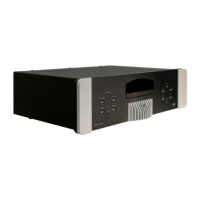
MOON Stellar DVD Player
FTS (Favorite Track Selection)
The ‘FTS’ system allows you to program the MOON Stellar DVD player to either include or exclude
specifically selected tracks of an Audio CD for playback, similar to the usual programming mode of
many CD players. The difference is that the Stellar will memorize the ‘FTS’ program for a specific CD
once it has been created. Next time you play that CD on the Stellar, its ‘FTS’ will be recalled. The ‘FTS’
system uses the on-screen display, so you should have your TV or video projection unit turned on
when creating a ‘FTS program’. You can have a total of 100 FTS CD’s. If you exceed this number, the
least frequently played ‘FTS program(s)’ will automatically deleted.
Playing an FTS program
When the ‘Auto FTS’ setting is on, play of the ‘FTS program’ starts immediately when the player
recognizes the CD. When the ‘Auto FTS’ setting is off, press the
FTS button located on the Stellar’s
front panel once the ‘total tracks’ and ‘time’ appear on the Stellar’s front panel display. Then press X.
Please refer to the section ‘Settings Menu’ on page 17 to turn ‘Auto FTS’ on or off.
Compiling an FTS program
Insert a CD but don’t start playing it. ‘FTS programs’ can be compiled by either selecting the tracks
you want to play (Selecting Tracks) or by excluding the tracks you don’t want to play (Excluding
tracks).
A) Select tracks
Press so that the on-screen display selects the ‘Favorite’ mode. Use or to move to the first
track number you want to select. Then press and that track number will be added to the ‘favourite
grid’. Repeat the last two steps to add as many tracks that you want to include from the ‘FTS program’
of that CD. If you change your mind, you can de-select any track number by moving back to it and
pressing as required. To clear all of your selections and start again, press .
B) Exclude tracks
Press so that the on-screen display selects the ‘Exclusion’ mode. Use or to move to the first
track number you want to exclude. Then press , the track number will be added to the ‘exclude grid’.
Repeat the last two steps to add as many tracks that you want to exclude from the ‘FTS program’ of
that CD. If you change your mind, you can re-include any track number by moving back to it and
pressing as required. To clear all of your selections and start again, press .
Once you have completed creating your ‘FTS program’, press X to start playing it. The ‘FTS program’
will be automatically memorized.
____________________________________________________________________________________
FTS (Favorite Track Selection) 16



 To Next Page