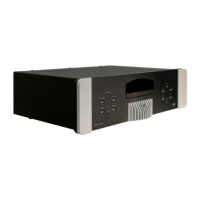
MOON Stellar DVD Player
Playing an Audio CD
Playing a disc
With ‘Autoplay’ setting on, a CD will start playing automatically when you close the drawer. With the
‘Autoplay’ setting off, press
X to start playing the CD. Please refer to the section ‘Settings Menu’ on
page 17 to turn ‘Autoplay’ on or off. While the CD is playing, the Stellar’s front panel display will show
the number of the current track and its elapsed playing time. As well, your TV/video projection unit’s
screen will show detailed information about the CD (i.e. total time, total number of tracks, elapsed and
remaining time, etc.) To pause the CD press
. To return to play press X. To stop playing press .
Moving to another track
Briefly press while a CD is playing to skip forward to next track. Briefly press while a CD is
playing to return to the beginning of the current track. Briefly pressing a second time will take you
to the beginning of the previous track.
Search
To search forward or backward through the CD at 4x (normal) speed, press or . When the search
begins the audio signal is partially muted. To search at higher speed (8x) press or a second
time. To decrease the search speed back to the 4x speed, press or again. To terminate the
search process, press
X, or as desired.
Shuffle
While a CD is playing, press and hold the SHUFFLE button for about 1 second. The playback order of
the tracks will be randomly changed. To return to playing the tracks in the order that they appear on
the CD, press and hold the
SHUFFLE button again.
Repeat track/disc
To repeat the track that’s currently playing, press the REPEAT button for about 1 second. ‘Repeat
Track’ will appear on the Stellar’s front panel display. To repeat the entire disc, press the
REPEAT
button again for about 1 second. ‘Repeat’ will appear on the display. To exit the ‘Repeat’ mode, press
the
REPEAT button a third time for about 1 second.
A-B Repeat
To repeat or loop a sequence, briefly press the A-B button at your chosen starting point. An ‘A’ will
appear on the Stellar’s front panel display. Briefly press the
A-B button a second time at your chosen
end point. An ‘A-B’ will appear your display and the repeat/loop sequence will begin playing. To exit
the sequence at any time, briefly press the
A-B button again.
____________________________________________________________________________________
Playing an Audio CD 15



 To Next Page