MOON Stellar DVD Player
Front Panel Controls
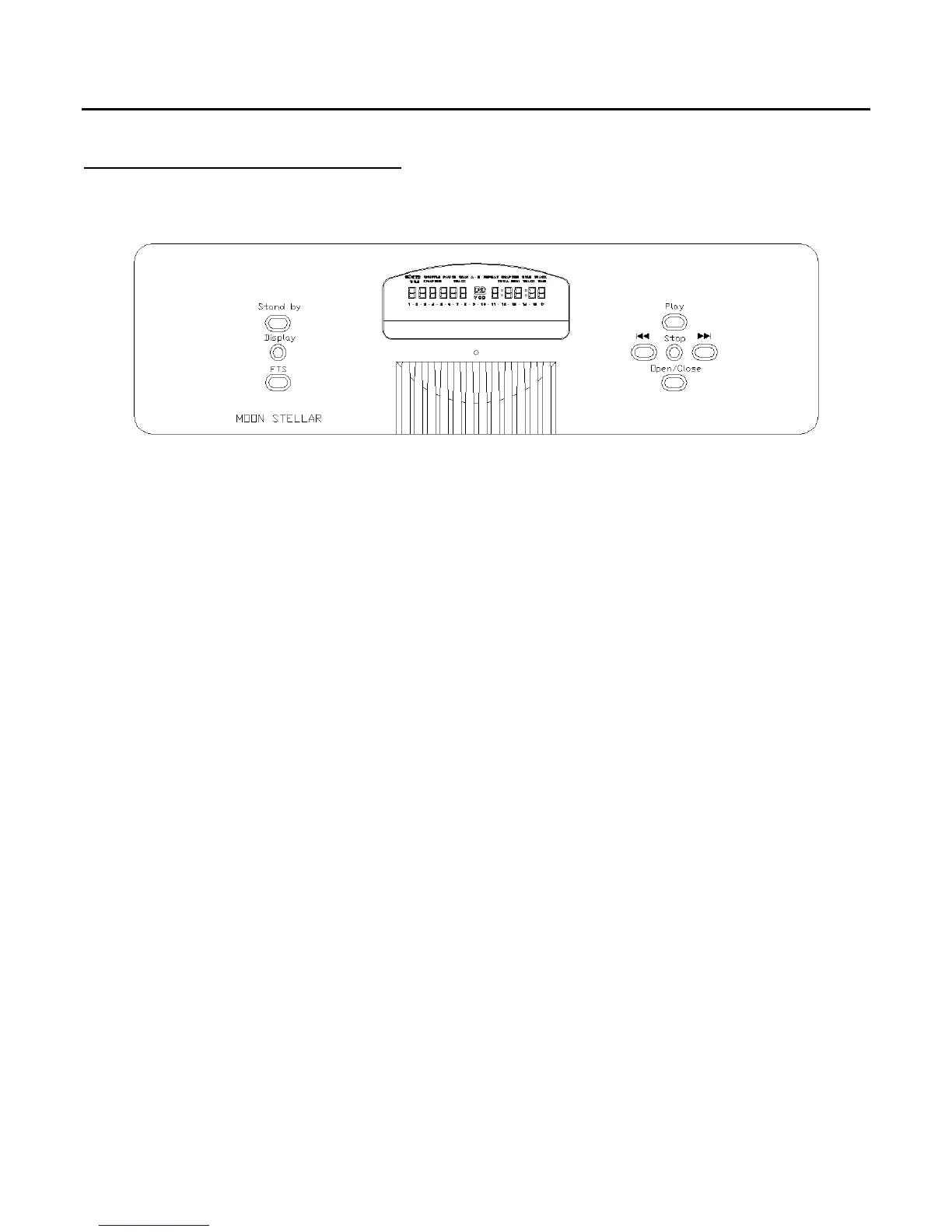
Figure 3: Front panel of MOON Stellar DVD Player
Once you have completed all the necessary audio and video connections, and connected your MOON
Stellar DVD player to an AC wall outlet, you can power up the unit by pressing the rocker switch,
located on the back panel directly above the AC cable receptacle, to the ‘1’ position. We recommend
that you leave the rocker switch in this position at all times to maintain optimal performance. If you
wish to turn off your Stellar, you can switch it into Standby mode by pressing the ‘Standby’
button
located on the left side of the front panel (Pressing the ‘Power’ button on the remote also puts this
unit into Standby mode).
There are eight (8) buttons located on the front panel of the MOON Stellar DVD player. All but two
(2) buttons are duplicated on the remote control:
The DISPLAY button turns the front panel digital display on or off. The performance of
this unit might improve slightly with the display turned off. As well, you might also
prefer the display off when watching a DVD-Video disc as it may be a distraction.
The FTS button turns the Favorite Track Selection mode on or off. Please refer to the
section ‘Favorite Track Selection’ on page 16.
The following pages provide detailed instructions for remote control operation, playing DVD-Video discs
and Audio CD’s.
To insert a disc (video or audio), press the
OPEN/CLOSE button located on the right side of the front
panel, place the disc of your choice (label side up) in the drawer, and press the
OPEN/CLOSE button
again to close the drawer.
____________________________________________________________________________________
Front Panel Controls 11



 To Next Page