9
User Manual
Moonboon Motor
Using the Moonboon Motor
Once you have mounted the Moonboon Motor and connected the power
cable, you may begin using it. Review the SAFETY CHECKLIST and en-
sure that all instructions have been followed before starting the Moon-
boon Motor for the first time.
You may turn the Motor off at any time by turning the buttons back to their
leftmost position.
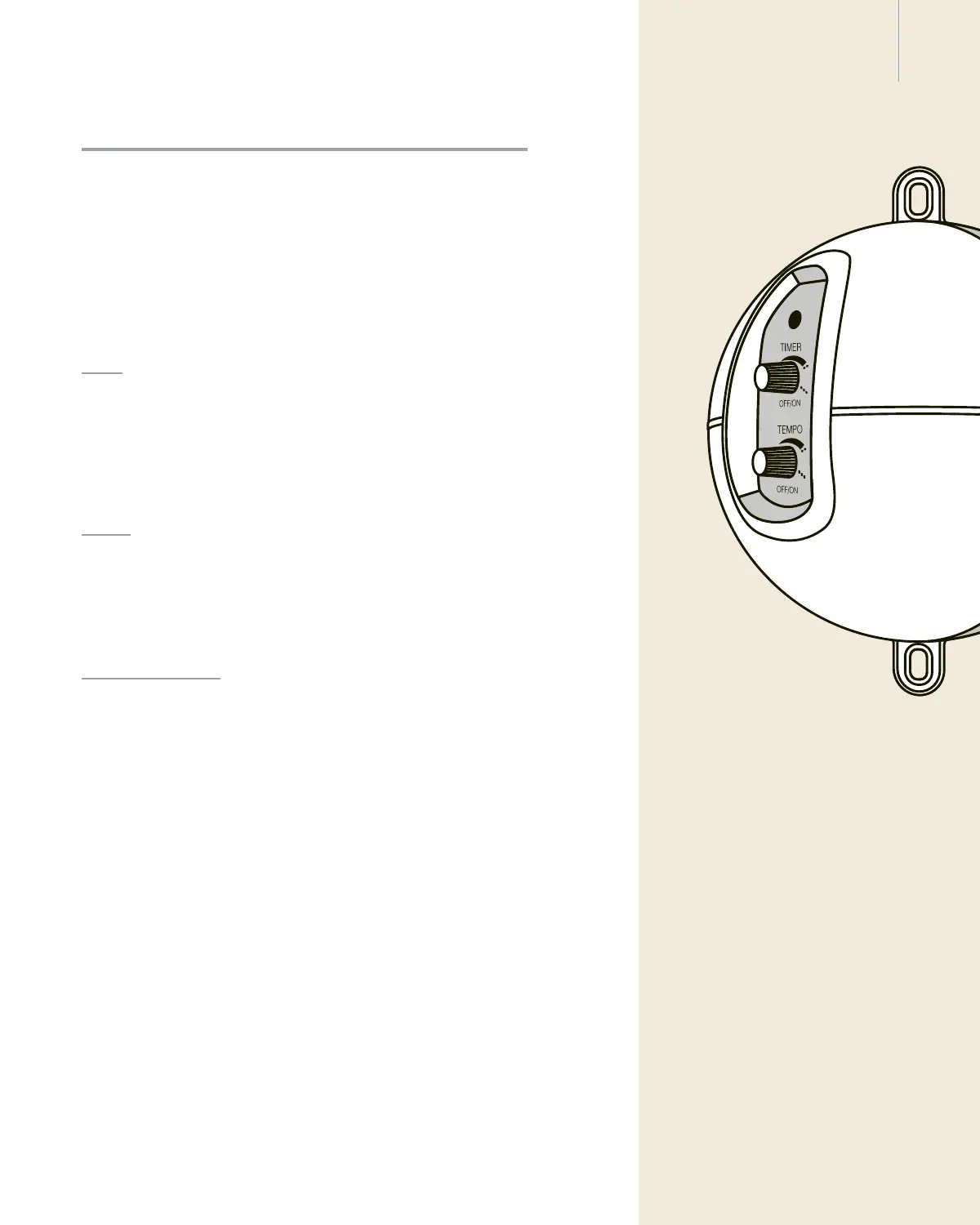
Timer
The upper button ‘TIMER’ is used to set the duration of the operation of
the Moonboon Motor.
The 3 dots each represent 1 hour. The Motor may be set to operate be-
tween 5 minutes and 3 hours.
Tempo
The lower button ‘TEMPO’ is used to set the speed of operation.
Turn the arrow to the left for the lowest speed and to the right for the
highest speed.
Starting the Motor
- First turn the ‘TIMER’ button and set the desired time.
- Then turn the ‘TEMPO’ button and set the desired speed.
If the light is green and both buttons have been set, just put your hand on
the cross pin and activate the Baby Hammock or Twin Baby Hammock
by pressing down on it once or twice. The Cradle, in the same way, is
activated by pulling down on it once or twice.
The motor will automatically begin operating the Baby Hammock, Twin
Baby Hammock or Cradle. The tempo setting may be adjusted at any
time to the preference of your baby.
Once the set time has been reached, the Motor will slowly decrease its
speed before fully stopping.
The Moonboon Motor may be
stopped at any time by touching the
hammock or the spring. Doing so will
make the motor light come on red,
and the motor must be restarted be-
fore it can resume operating.
Please note
the motor will not work without weight in
the Baby Hammock, Twin Baby Ham-
mock or Cradle.
Please note


 To Next Page