MOONEY INTERNATIONAL CORPORATION
M20V SERVICE AND MAINTENANCE MANUAL
Date
MAR 2017
Rev Date
Page
6
34-10-00 - PITOT & STATIC AIR PRESSURE SYS-
TEM
Static pressure instruments are extremely sensitive to
pressure changes; therefore, the Pitot and static sys-
tem must be kept free from moisture and obstructions.
Drain Pitot and static systems after humid or wet
weather. If instrument operation is erratic or inoperative
after draining, perform the following:
1. Pitot system hose inspections - Inspect hose sec-
tions for signs of deterioration. Check all tubing for
brittleness, checks or cracks particularly at bends or
connecting points. The G1000 and SAM
units contain
two (2) pneumatic quick disconnect fittings. These fit-
tings are specific to the connections on the rear of the
unit and required for proper operation. Aircraft tubing
that connects to the unit must be 1/4” OD with an ap-
proximate 0.17” ID. When new hose is installed, check
system for leaks using PITOT SYSTEM LEAK TEST
procedure.
2. Pitot system leak test - (Make sure Master Switch
is OFF and Gear Control is in DOWN position).
A. Slip end of a short rubber hose over Pitot tube.
B. Close open end of hose; slowly roll up hose until
G1000 airspeed indicator
reads 150 MPH.
C. Clamp hose and hold for one minute.
D. If G1000 airspeed indicator
falls more than 9
KIAS, within one minute, check system for leaks and
tighten line fittings.
E. Repeat steps B, C, and D until obtaining less
thana9KIASindicatorreading drop.
-CAUTION-
Release air pressure slowly by unrolling rub-
ber tubing. A sudden release of the air pres-
sure may damage airspeed indicator.
3. Static system cleaning - Blow low air pressure
(10- 25 PSI) through lines from disconnected line at
SAM airspeed indicator to static ports. Cover each stat-
ic port separately when blowing to insure that each line
is clear. Instrument error or possible damage may re-
sult if even one port is clogged with dirt or foreign mat-
ter.
-CAUTION-
NEVER BLOW AIR through the line TOWARD
theINSTRUMENTpanel;todosowillserious-
ly damage instruments. When blowing back
through line from instrument panel, make
sure that no air is blown into instruments.
4. Static system leak test - The static system should be
checked for leaks in accordance with instructions in
Federal Aviation Regulation 91.411, paragraph (c), ap-
pendix E, part 43.
5. Alternate static source - An alternate static source
valve is provided to change the static air source from
outside the aircraft to inside the cabin. The valve is lo-
cated on the lower panel under the pilots control col-
umn. G1000 Airspeed indicator and altimeter
read-
ings
will be slightly affected when using the alternate
static source.
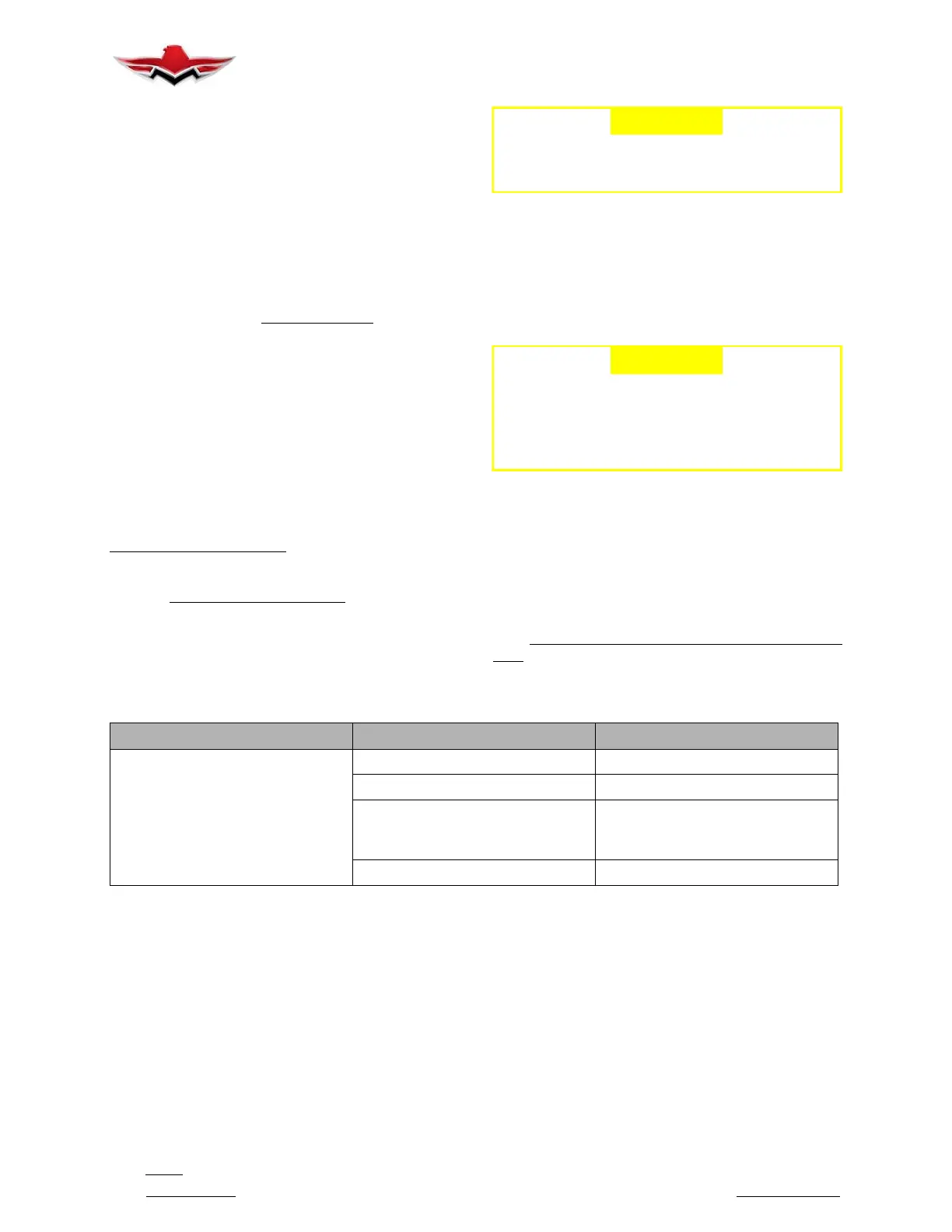
34-10-01 - HEATED PITOT TROUBLESHOOTING
TROUBLE PROBABLE CAUSE REMEDY
Tube does not heat or clear itself of
icewithswitchon.
Switch circuit breaker tripped. Reset circuit breaker.
Open circuit. Repair.
Excessive voltage drop between
battery and Pitot head.
Check for bad connections in con-
nectors and cables leading to the Pi-
tot head.
Heating element burned out. Replace Pitot head.
34-11-00 - AIRSPEED INDICATOR
STANDBY ATTITUDE MODULE (SAM)
AIRSPEED DISPLAY
The airspeed indicator portion of the SAM display will
always appear on the left side of the right display when
mounted horizontally and on the left side of the bottom
display when mounted vertically. An example of the air-
speed display is shown in Figure 34-2.
The airspeed indicator display consists of three parts:
the airspeed window, the airspeed tape, and the air-
speed limitations or range markings.
The airspeed window displays the current indicated air-
speed (IAS). The digits of the display are enlarged for
visibility and increment by one (1) unit. The units will
“roll” or scroll to assist in quick reference as to the in-
creasing or decreasing nature of the aircraft’s airspeed.
The airspeed pointer (triangle) to the left of the window
points to the associated position on the airspeed tape
of the current airspeed. Airspeed units appear below
the airspeed window and can be selected during install-
ation in ’Configuration Mode’ ref: Mid- Continent Instru-
ments Manual Number 9017782 Dated Oct 31, 2013
Rev B or later revision.
34-10-00


 To Next Page
 Loading...