9
The default adjustable flow range for Moov Ai Pump is as below:
Model Default adjustable flow rate range
MP10AI 5~20 m³/h / 22~88 gpm
MP15AI 5~25 m³/h / 22~110 gpm
MP165AI 5~30m³/h 22~132 gpm
Note:
After the first self-priming, the pump will redefine the adjustable flow range. The pipeline pressure will be
recorded by the system after the pump runs at the set flow/capacity for 5 minutes without other operations.
During the pump running, if it is detected that the pipeline pressure changes beyond a certain range, the
icon of % or US GPM (or other flow units) symbol will flash for 5 minutes. If the change last for 5 minutes,
the pump will perform a self-priming and self-learning process, and redefine the flow range accordingly.
After the redefinition of the flow range, the pump will automatically adjust the running capacity to reach
the set flow.
User can set the time interval to trigger the self-leaning automatically in the parameter setting (see 5.9) to
ensure the accuracy of the flow rate.
5.7 Timer mode
The pump’s on/off and running capacity could be commanded by timer, which could be programmed
daily as needed.
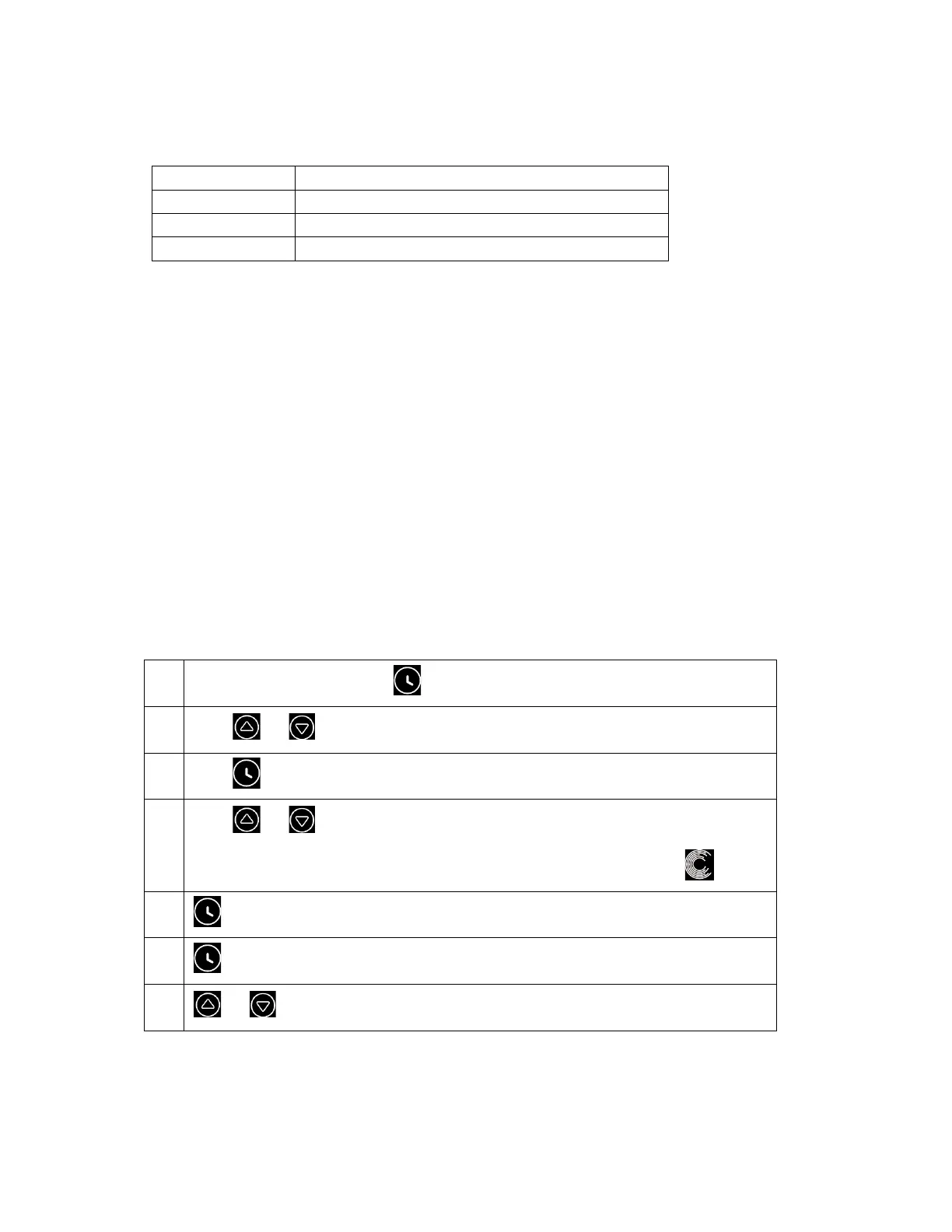
1
Enter timer setting by pressing
2
Press or to set the local time
3
Press to confirm and move to time-1 setting
4
Press or to choose the desired running periods, running capacity or flow
rate (when % icon is flashing, user can change to set the flow rate by pressing )
5
Repeat above steps to set other 3 timers
6
Hold 3 seconds to save setting and activate timer mode.
7
or Check 4 timers to make sure there is no invalid setting
Note:
When timer mode is activated, if the set time period contains the current time, the pump will start running



 To Next Page