Page 26
CREASING
DIAGNOSTICS and CALIBRATION TOOLS.
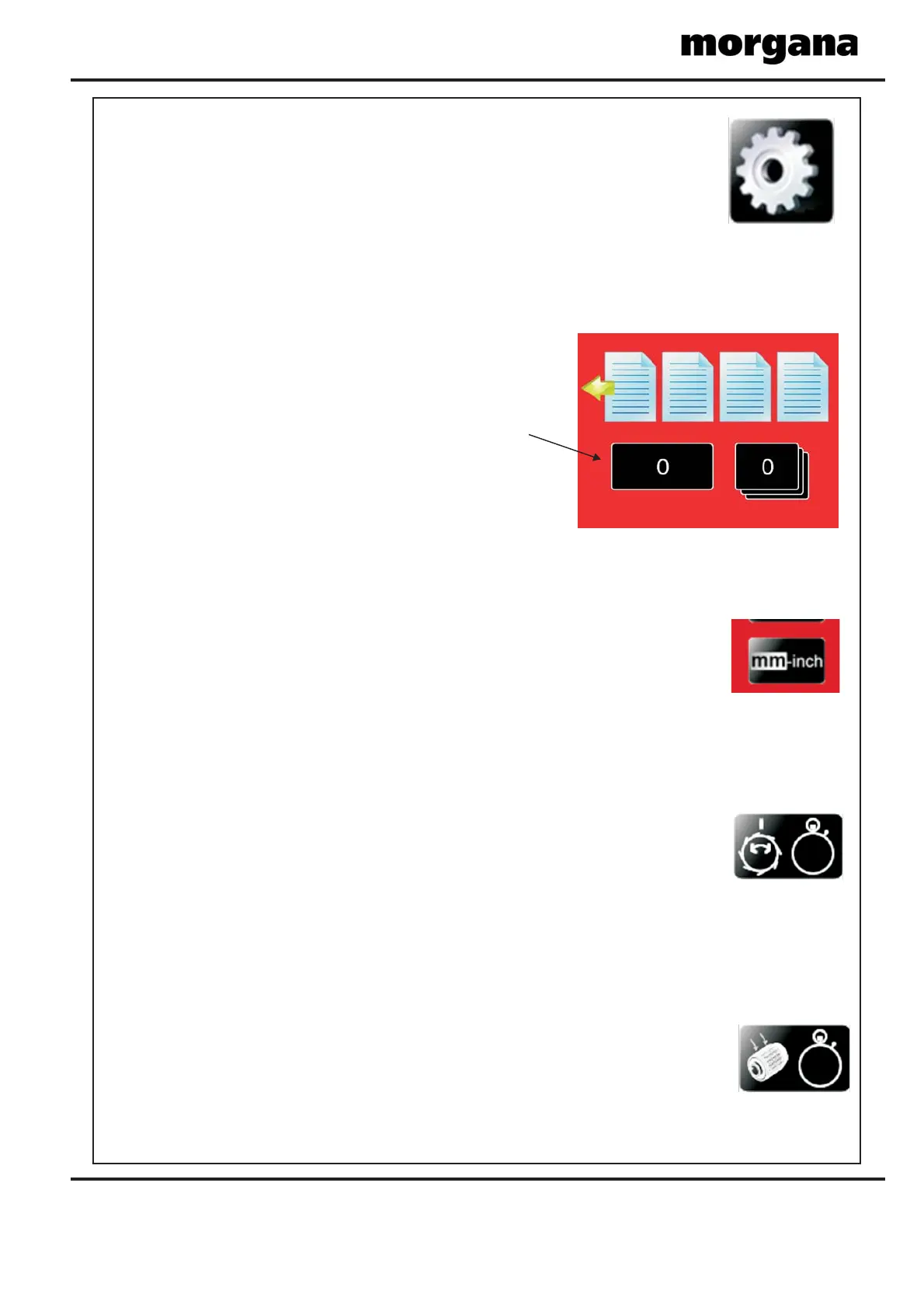
SET THE MEASUREMENT SYSTEM (METRIC / IMPERIAL SETTINGS).
To set the total counter to zero.
Turn the Machine on.
Insert the Engineers Plug into the Socket located at the rear of the machine.
Select Tools on the Display and select this button,
this value denotes the Machine total count.
To set the measurement system for Imperial (Inch) or Metric (mm) the following procedure
Is necessary.
Turn the machine on.
Insert the Engineers Plug into the Socket located at the rear of the machine.
Select Tools on the Display and select
‘METRIC or IMPERIAL’ by toggling the button.
Return to the main screen and remove the engineers plug.
To enter the engineers tools menu.
Turn the Machine on.
Insert the Engineers Plug into the Socket located at the rear of the machine.
Select Tools on the Display and continue to select required tool.
To set the vacuum drum start position the following procedure Is necessary.
Turn the machine on.
Insert the Engineers Plug into the Socket located at the rear of the machine.
Select Tools on the Display and select ‘Vac Drum Trim’ by toggling the button.
Input a value and run, repeat until start position is correct under the papergate.
Return to the main screen and remove the engineers plug.
To set the vacuum drum suction start time the following procedure Is necessary.
Turn the machine on.
Insert the Engineers Plug into the Socket located at the rear of the machine.
Select Tools on the Display and select ‘Vac Suck Trim’ by toggling the button.
Input a value and run, repeat until start delay is correct.
Return to the main screen and remove the engineers plug.
SET THE TOTAL COUNT TO ZERO.
SETTING THE VACUUM DRUM POSITION.
SETTING THE VACUUM DRUM SUCTION DELAY.
Counter button


 To Next Page
 Loading...