Page 12
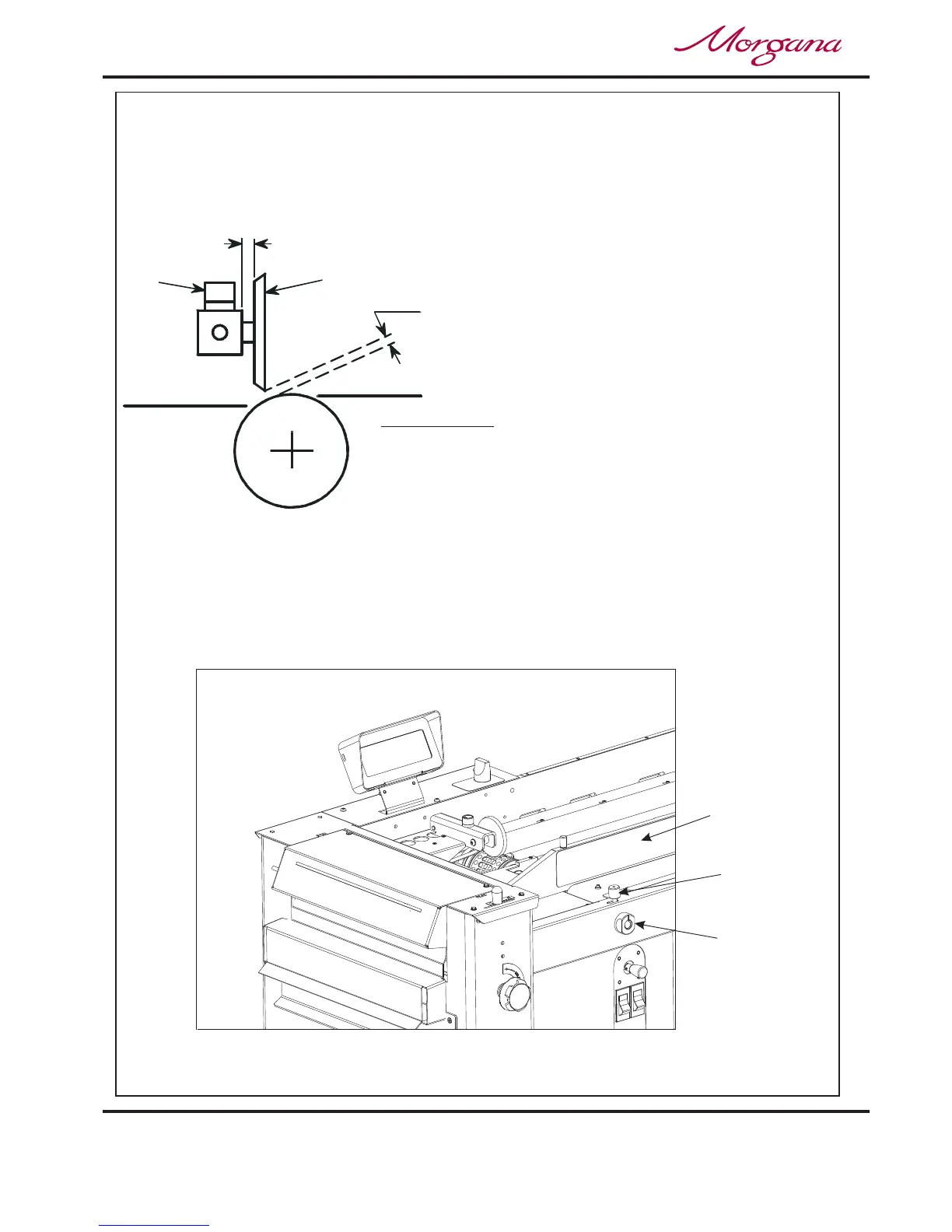
Adjustable
Side Lay
J
K
6.5mm (1/4")
TWO THICKNESSES
OF PAPER
Suction
Slot Knob
IMPORTANT:-
To avoid possible damage to the suction drum,
when adjusting the paper gate height, ensure that
drum and not over a slot in the drum.
the disc is located over a solid section of the suction
Do not adjust the paper gate while the machine is
running.
CREASING / BOOKLET MAKING
Vacuum
Bleed Knob
Setting the Machine up as a Creaser
Adjusting the Paper Gate
The standard setting for horizontal adjustment of the paper gate is 6.5mm (1/4") away
from the mounting block. Turn disc J to make this adjustment. This setting is only intended
as a guide, for instance, sheets with an upward curl will require this setting to be in-
creased. Set the height of the Paper Gate to approximately two thicknesses of paper, by
turning knob K. An excessive gap is a most likely cause of double sheet feeding.
Setting the Suction Slot
The suction slot is located inside the vacuum roller and can be adjusted by releasing and
moving the suction knob horizontally in either direction to the required position.
For light stocks set the knob to the left and for heavier stocks set the knob to the right.
FIG 8.2
FIG 8.1



 To Next Page