Page38
CREASING/BOOKLETMAKING
VariableData
Prog?
Books?
Reset
Setup
Tools
Feed
ImageRecOn
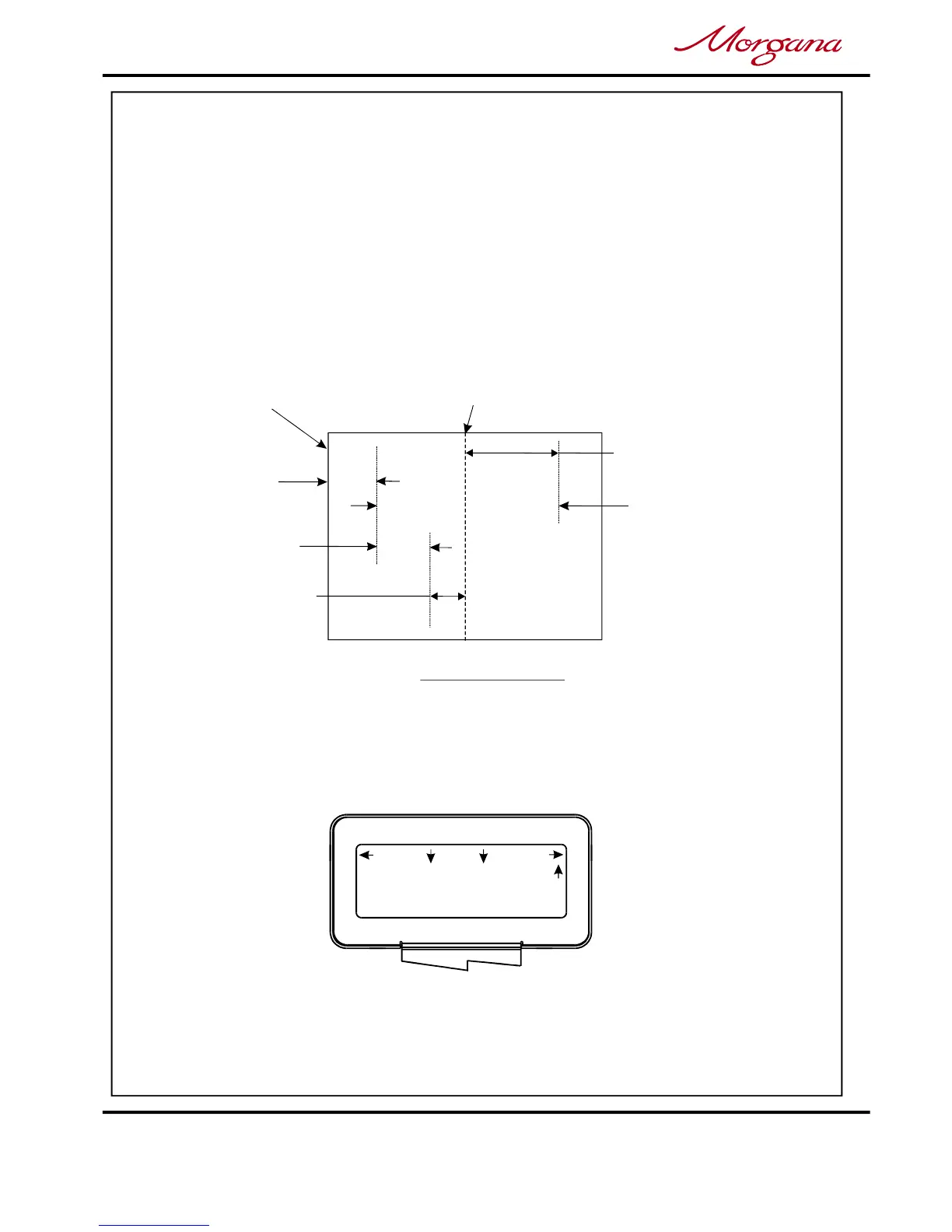
LeadingEdge
Crease
90mm
+70mmNoHinge
ImageCanOnlyBe
WithinThisBand
OfSheet
+60mm10mmHinge
-20mmNoHinge
-30mm10mmHinge
IfisSelected
Cover
IfisSelectedSheet2
ImageCanOnlyBe
WithinThisBand
VARIABLEDATA
1.ProgrammethemachineforBookletMakeroperationasdescribedon
pages22to32,settingthetoasdescribed
onpage25.
2.OperatetheCameraRecognitionSystemasdescribedonpages34to36.
Whentheselectionswitchismovedupuntilthedisplaycontainstheword
thedisplaywillreadasshownbelow.
3.Loadthebookletstackontothefeedbed;andthenrunthejobbyswitching
.theCompressorandSystemSwitcheson,andthenmovetheselection
switchdowntoselect.
SheetsinBookVariableData
LimitationsofthepositionoftheImage,tobecaptured,onthesheet.
Feed
NOTE:-
NOTE:-
Thedefaultposition,(oftheimagecaptureposition),fromtheleadingedgeof
thesheetis90mm.Ifthereisnoimageonthesheet,at90mmfromtheleading
edgeofthesheet,thenanotherpositiongreaterthan90mmmustbeset.
Limitationstothepositionsofthecapturedimagearepresetinthesoftware
andcannotbeexceeded.SeeBelow.
Feed



 To Next Page