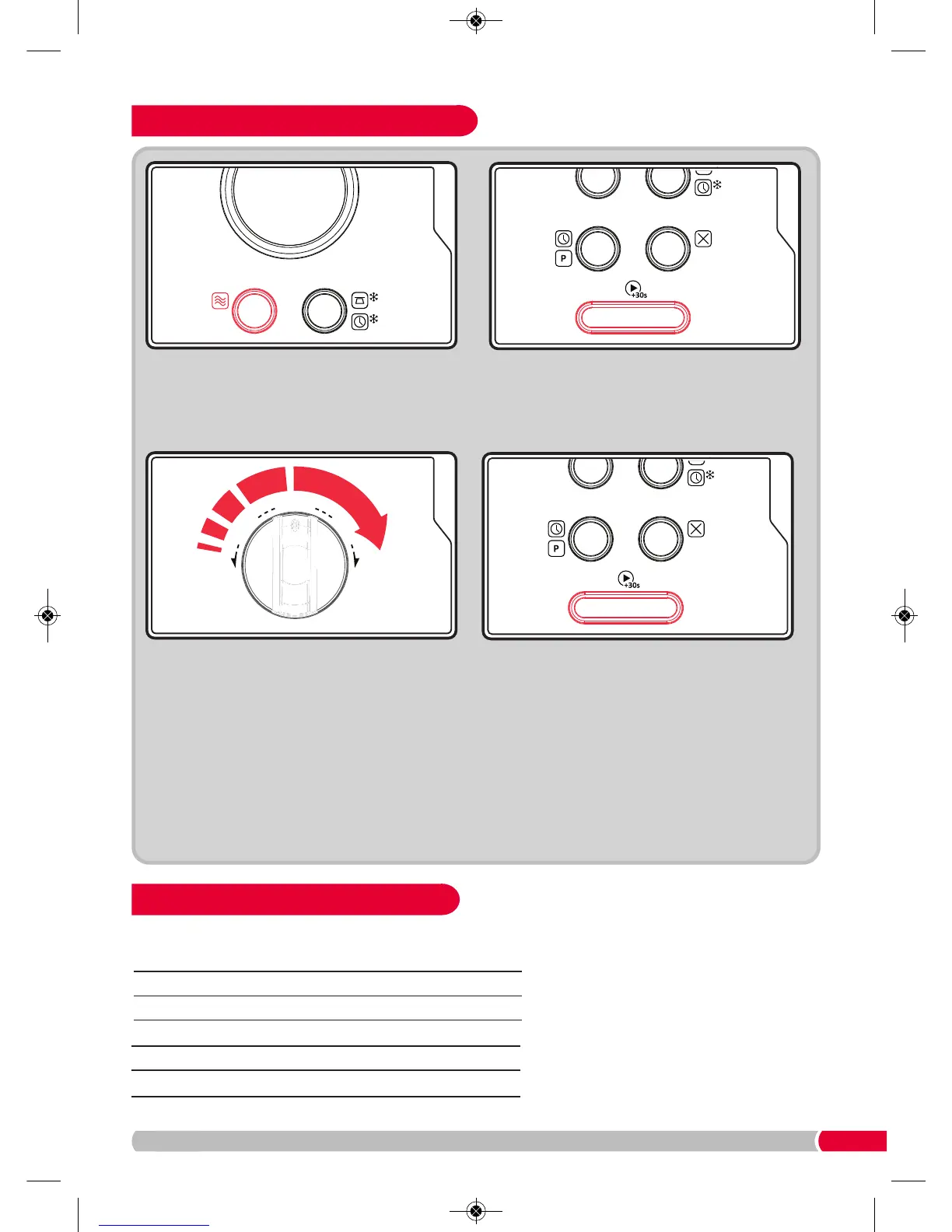
Press the Power Button (6) once. It will display
P100. Continue to press Power Button (6) to
select a lower power or turn the Auto Dial (11) to
select an alternative power. See the table below.
Press the Confirm Button (10) to confirm the
power.
Operating Your Microwave Oven
Always remember that cooking
instructions are intended only as a
guide. If you have followed the
instructions and the food is still not
piping hot throughout, simply return it
to the Microwave.
No. of time to press Microwave Display
Power Button Power Level
1 100% P100
2 80% P80
3 50% P50
4 30% P30
5 10% P10
PLEASE NOTE: The cooking time can be
adjusted in the following increments:
0-1 min : 5 seconds
1-5 min : 10 seconds
5-10 min : 30 seconds
10-30 min : 1 minute
30-95 min : 5 minutes
Press the Confirm Button (10) to start cooking.
When cooking is finished, your microwave oven
will beep 5 times.
Microwave Power Chart



 To Next Page