Notes:
Cooking time can be extended during grill cooking by pressing
the START/+30SEC/CONFIRM button. Each successive
press will increase the cooking time by 30 seconds.
Combination cooking
1. Place the food to be cooked in a suitable container for the
cooking combination mode to be selected – see page 18 for
cooking methods used and page for the suitable
container.
2. Pull the door handle to open the door and place the
container in the centre of the oven. Securely close the oven
door.
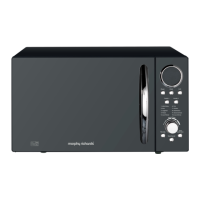
4. Press the START/+30SEC/CONFIRM button to save the
setting and turn the FUNCTION knob until the required
cooking time is displayed (5 seconds to 95 minutes).
5. Press the START/+30SEC/CONFIRM button. A bleep will be
heard, the oven will start to cook and the timer will start to
count down.
6. After the cooking time has finished, five bleeps will sound
3. Press the Microwave / Grill /Combination / Convection
button and turn the FUNCTION knob until the desired
combination mode (C-1, C-2, C-3 or C-4) is shown in the
display.
This function combines a variety of cooking methods and
four-preset programmes are available and these are accessed
by pressing the Microwave / Grill /Combination / Convection
button once and turn the FUNCTION knob or press the
button repeatedly to scroll though the options available.
2
6


 To Next Page
 Loading...