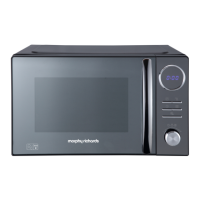
Version 2 31/03/2021
Setting the clock
Stop cooking / Cancel
1. Fully unwind the cable, plug in and switch on. The microwave will emit
a single bleep and the display will show 0:00.
2. Press CLOCK/TIMER pad once, 00:00 will display.
3. Press the number pads to enter the correct time. For example, the
time is 8:15 now, please press 0-8-1-5 in turn.
4. Press CLOCK/TIMER to save the setting.
Notes:
• It is a 24-hour clock.
• In the process of clock setting, if the STOP/CANCEL pad is pressed or if
there is no operation within 1 minute, the oven will go back to the
former setting automatically.
• If the oven is unplugged or turned off at the mains the clock setting will
be lost.
• To check the time during oven operation, press the CLOCK/TIMER pad
and the time will display briefly before returning to the countdown
timer.
The oven can be stopped at any time by pressing the STOP/CANCEL
pad or by opening the door.
If the oven door is OPEN, press the STOP/CANCEL pad ONCE to clear
all settings.
If the oven door is CLOSED, press the STOP/CANCEL pad TWICE to
clear all settings.
•
•
•


 To Next Page
 Loading...