7
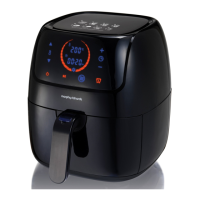
CONTROL PANEL
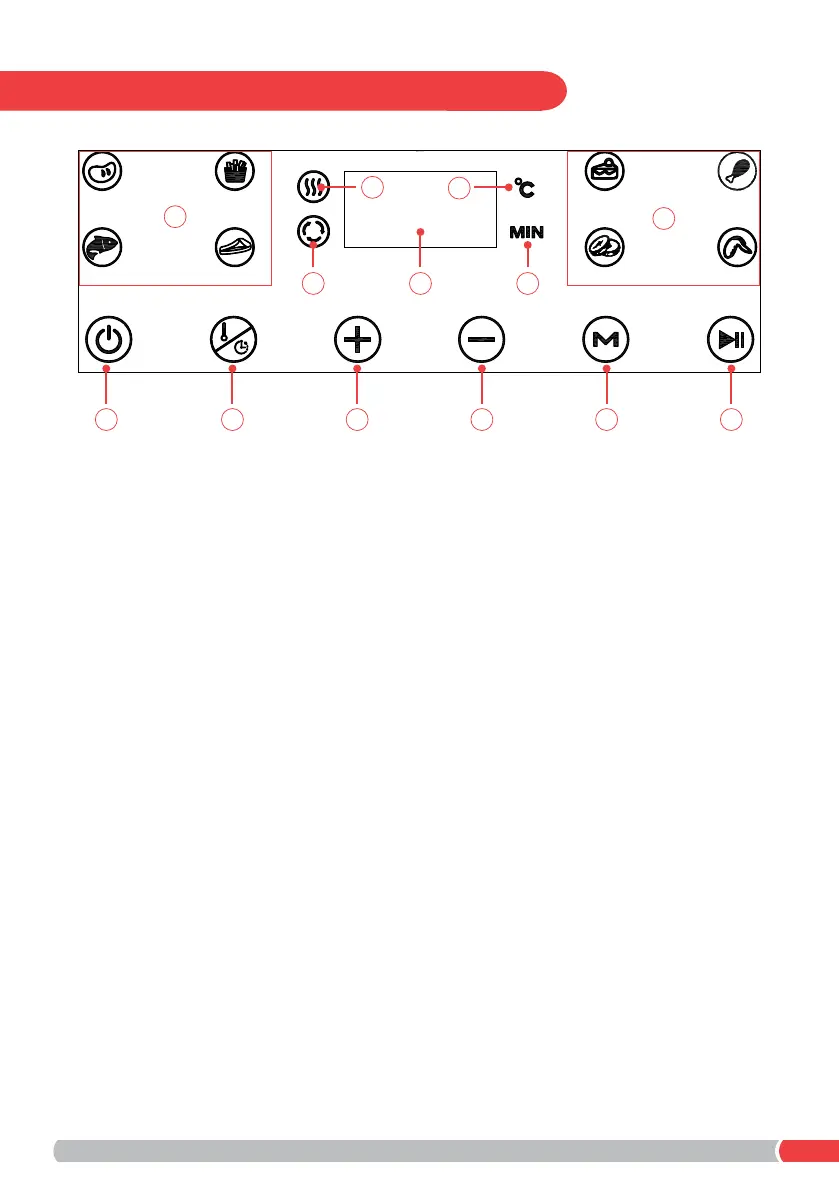
Touch Control Panel
A - On/Off Button
B - Time/Temperature Mode Button
C - Increase Time/Temperature Button (by 1 minute/5°C every press)
D - Decrease Time/Temperature Button (by 1 minute/5°C every press)
E - Program Function Button
F - Start/Pause Button
LED Display Indicators
1 - Displays the current selected operation time or temperature
2 - Indicates the heater is in operation and the temperature is
increasing to the selected setting
3 - When displayed, the fan motor is in operation
4 - Indicates the selected temperature shown on the display
5 - Indicates the remaining operation time (Minutes) on the display
6 - Flashes when a preset program is in operation after pressing the
Program Function Button (E)
A B C D E F
13 5
2
4
6
6


 To Next Page