21
Step 1: Smart Life Application & Account Registration
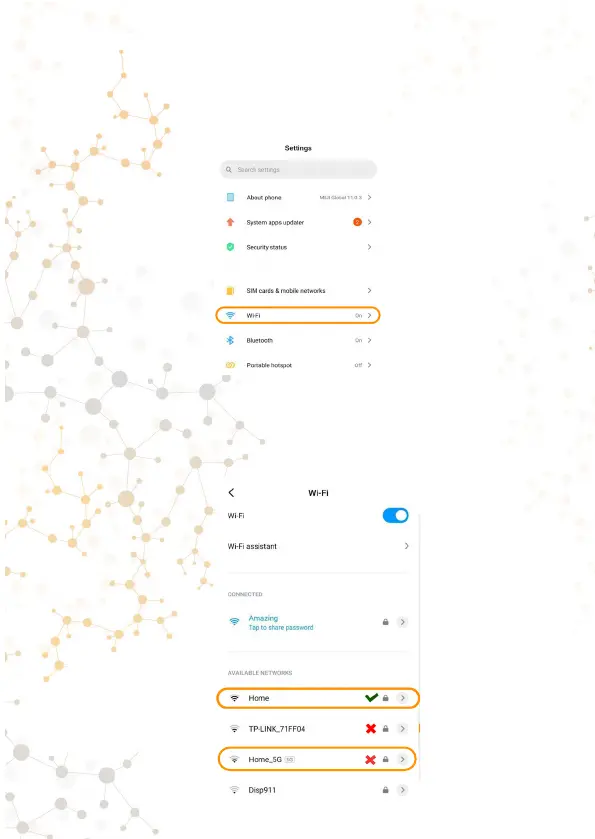
1. Connect Smartphone to your Wi-Fi network** (with the
Internet connection).
*-On Android smartphones in the list of available Wi-Fi
networks, you can see at what frequency your router works.
Routers with 5 GHz are displayed additionally (an example is
shown in the screenshot) The Morvelli FHD22 camera does
not support networks with a frequency of 5 GHz.
No Security
WPA/WPA2-Personal (Recommended)
WPA/WPA2-Enterprise
Wep



 To Next Page