40
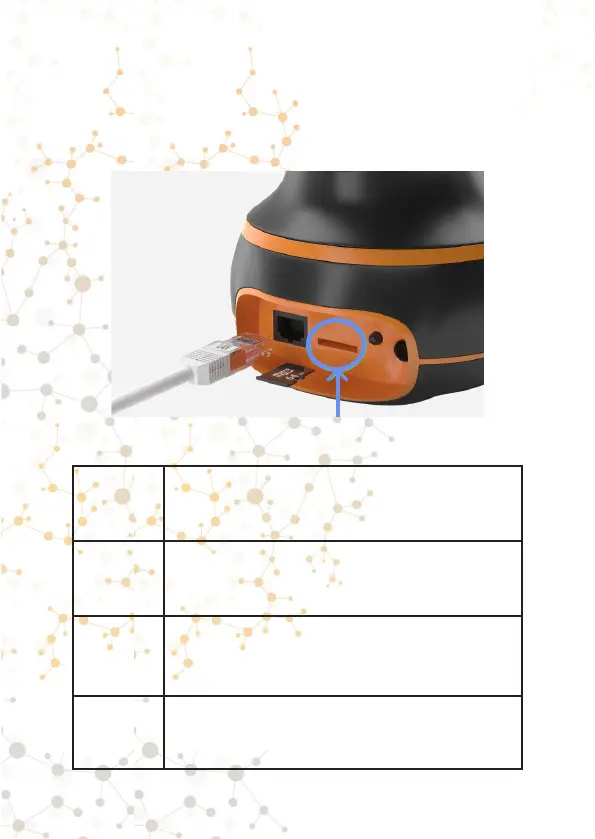
The memory card slot is located at the
back of the camera.
1
Before inserting or removing a memory
card, turn off the camera.
2
Before using a memory card, it is
advisable to format it on a PC in a FAT.
FAT32 or exFAT system.
3
The memory card settings menu will not
be visible in the application until you insert
a memory card.
4
The camera will not format the memory
card if it is empty (if there are no video
recordings on it).
Memory card slot



 To Next Page